
Read Rithmic risk parameters as a set: who controls the rule, what condition is measured, what value triggers it, and what happens afterward. A threshold without its criterion and unit is incomplete information.
Educational software guidance. Trading involves risk. Read the financial and information disclaimers.
What was verified
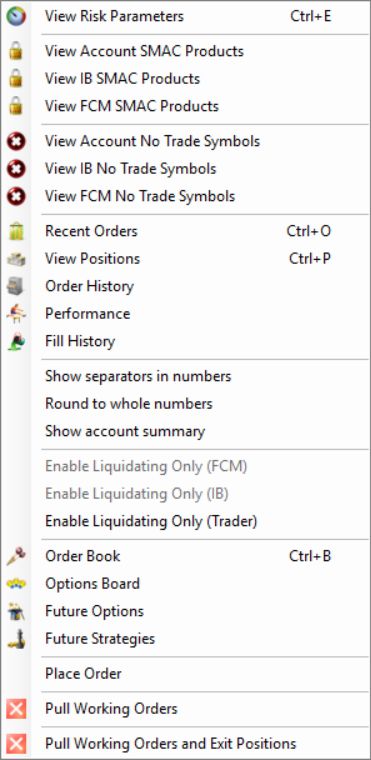
In R Trader Pro desktop 17.106.0.2 on 7 October 2026, File, then Trader Dashboard, then the account's View Risk Parameters command opened separate FCM Administrator, IB Administrator and Trader tabs. Only navigation and labels were inspected. No values were edited, applied or tested by placing an order.
Fields observed in the Trader tab
| Field | How to read it before configuration |
|---|---|
| Auto Liquidate | Check whether the automatic response is enabled |
| Auto Liquidate Criteria | Identify the condition being measured |
| Auto Liquidate Threshold | Read the value together with that condition and its units |
| Auto Liquidate Max Min Account Balance | Confirm the cap associated with a limited trailing criterion |
| Ignore Open P&L When Trailing | Confirm whether open-position P&L affects the trailing reference |
| Auto Liquidate At | Confirm the intended time, timezone and schedule |
| No Trading From / No Trading To | Confirm the restriction window and its scope |
| Liquidate Only On Auto Liquidate | Confirm the resulting permitted actions with the provider |
| Lock On Auto Liquidate | Confirm permissions, release conditions and who can unlock it |
These labels were observed, but their values were not changed or execution-tested. The FCM Administrator view additionally showed account and product quantity/exposure fields. Do not transfer edit instructions from one tab to another.
Resolve ambiguous terminology
Ask for an example using the selected criterion, starting balance and account currency. Specify whether the comparison uses open P&L and fees, whether a trailing reference changes intraday, and whether touching or crossing a threshold triggers the rule. Request the expected account state after the event as a separate answer.
The application's time notice said scheduled times do not automatically adjust for daylight-saving or standard-time transitions. Verify timed controls when the relevant timezone changes rather than assuming a fixed offset throughout the year.
Liquidation and a trading lock are separate
The Trader tab contains Liquidate Only On Auto Liquidate and Lock On Auto Liquidate. Rithmic's current FAQ, checked 7 October 2026, explains that a liquidation can leave an account in Liquidate Only or Admin Only, depending on its configuration. Those states require manual clearing; do not expect a new trading day or a platform restart to clear them.
That statement describes the resulting account modes. It does not grant a trader permission to edit administrator settings or establish that the two checkboxes are interchangeable. For a restricted account, ask its provider to identify the active mode and the authorized reset route. A Soft Loss Limit is a different criterion: Rithmic describes it as resetting after it fires, so it must not be treated as a persistent daily lock.
Older guidance saying liquidation alone does not disable trading addresses a different configuration. The useful check is the actual resulting mode, rather than the word “liquidation” by itself.
Read the account display

The blank headroom cells in this capture must not be read as zero or unlimited allowance. Use the configured rule and the provider record when a display does not supply a number.
Common questions
Is Threshold always a dollar loss?
No. Its interpretation depends on the selected criterion. A balance floor, percentage and loss amount are not interchangeable.
Are green cells safe to change?
Color alone is not a safety assessment. Understand the effective rule and current account state before editing any permitted field.
Why do the FCM, IB and Trader tabs differ?
They represent different administrative scopes. Confirm the effective combined restrictions with the account provider.
Where is a loss-per-trade setting?
No general field with that name was verified in the inspected Trader tab. Use the provider's supported controls and distinguish order-level stops from account-level risk rules.