
Inspect account and product limits in View Risk Parameters, then confirm their meaning and edit permissions with the provider. A maximum order quantity is not necessarily the same as a maximum open position. The inspected Trader tab did not provide a general editable maximum-position field.
Educational software guidance. Trading involves risk. Read the financial and information disclaimers.
What was verified
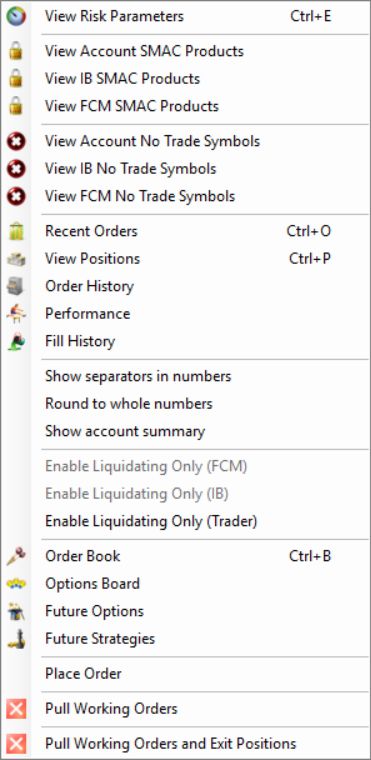
In R Trader Pro desktop 17.106.0.2 on 7 October 2026, File, then Trader Dashboard, then the account's View Risk Parameters command opened separate FCM Administrator, IB Administrator and Trader tabs. Only navigation and labels were inspected. No values were edited, applied or tested by placing an order.
Distinguish the limits
| Label observed in the administrator view | Question to resolve |
|---|---|
| Buy Limit and Sell Limit | Are these directional account limits or product limits? |
| Max Order Qty | What quantity is allowed in one request, including reversals? |
| Total Exposure | Which positions and pending instructions contribute? |
| Cumulative Position Limit | How are products aggregated for this account? |
The presence of a label does not establish its unit, aggregation rule or whether a blank value means no restriction. Ask the provider about the effective rule before relying on a number.
Investigate a position-limit rejection
- Preserve the exact response and the account, contract, side and quantity of the request.
- Inspect both the current position and working orders that could increase exposure.
- Check account-level and product-level restrictions separately.
- Confirm how the provider counts micros, minis and multiple expiries.
- Ask the provider who may change the limit. Do not split an order into smaller requests to bypass an intended exposure restriction.
Optimus support's historical discussion distinguishes broker-side controls from permission-dependent trader functionality. Its examples are not current limits for this or another prop-firm account.
Check the requested change in exposure
Write down the current position, the pending orders and the new instruction separately. For example, selling three contracts while long one is a different request from selling one to exit. This is arithmetic for understanding the request, not an assertion that a provider will accept it.
Rithmic's risk reference distinguishes quantity checks before order acceptance from liquidation criteria. The provider defines product aggregation and any mini/micro weighting. Record its rule instead of copying a numeric acceptance example from another account.
Common questions
Can I set my own maximum number of contracts?
Availability depends on the account and permissions. It was not available as a general maximum-position field in the Trader view inspected here. Ask the provider about a supported personal limit.
Do ten micros always equal one mini for risk limits?
No universal conversion was verified. Contract economics and a provider's exposure-counting rule are separate matters.
Does a reducing order always pass?
Do not assume that. The actual request, resulting exposure, account state and other checks still matter. Preserve its exact rejection if it fails.
Will automation override these limits?
A different order source does not establish permission to exceed an account restriction. Reconcile any automation response with Rithmic's order record.