
Confirm the loss calculation, trading-session boundary and post-trigger behavior with your provider before setting a Rithmic loss threshold. A field named Loss Limit alone does not establish which fees or open positions are included, when it resets, or whether it blocks further trading.
Educational software guidance. Trading involves risk. Read the financial and information disclaimers.
Define the rule before entering a number
| Detail | What to confirm |
|---|---|
| Measurement | Realized loss, open P&L, fees and the reference balance |
| Unit | Currency amount, percentage or balance floor |
| Period | Session start and end, timezone and holiday treatment |
| Response | Liquidation, order restriction, alert or another provider action |
| Recovery | Automatic release, administrator approval or account failure |
A daily loss allowance and a trailing balance floor answer different questions. One concerns the specified session's loss; the other may depend on an earlier account peak. A remaining daily allowance does not mean the account is safely above its drawdown floor.
What was verified
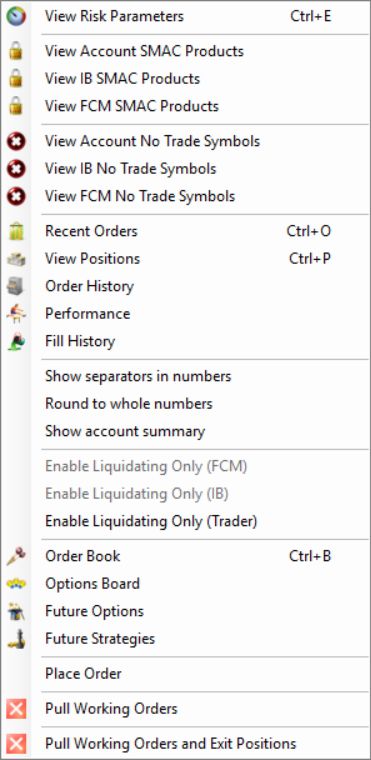
In R Trader Pro desktop 17.106.0.2 on 7 October 2026, File, then Trader Dashboard, then the account's View Risk Parameters command opened separate FCM Administrator, IB Administrator and Trader tabs. Only navigation and labels were inspected. No values were edited, applied or tested by placing an order.
Compare the selected criterion with the provider's current rule for the exact plan and account stage. Keep a private record of the original configuration. A value that appears suitable for another account may use a different basis or produce an immediate trigger here.
Liquidation and a trading lock are separate
The Trader tab contains Liquidate Only On Auto Liquidate and Lock On Auto Liquidate. Rithmic's current FAQ, checked 7 October 2026, explains that a liquidation can leave an account in Liquidate Only or Admin Only, depending on its configuration. Those states require manual clearing; do not expect a new trading day or a platform restart to clear them.
That statement describes the resulting account modes. It does not grant a trader permission to edit administrator settings or establish that the two checkboxes are interchangeable. For a restricted account, ask its provider to identify the active mode and the authorized reset route. A Soft Loss Limit is a different criterion: Rithmic describes it as resetting after it fires, so it must not be treated as a persistent daily lock.
Older guidance saying liquidation alone does not disable trading addresses a different configuration. The useful check is the actual resulting mode, rather than the word “liquidation” by itself.
A documented AMP workflow
AMP's Rithmic-support instructions, updated 27 August 2025, use Multiple Simultaneous Criteria with a Loss Limit and a separate liquidation-only flag. AMP says this flag needs manual reset rather than automatically releasing on the next trading day. This is a documented workflow, not confirmation of permissions or reset behavior on the inspected Apex account. The separate Lock On Auto Liquidate control was not activation-tested.
Reconcile a disputed daily result
Use the provider's session dates and timezone when comparing fills, fees and account records. List the components included in the rule. If the result differs from a chart's P&L, check whether the chart shows only one strategy or contract while the account includes other activity. Ask for the provider's calculation rather than changing a threshold to make the display match.
Read the account display

The blank headroom cells in this capture must not be read as zero or unlimited allowance. Use the configured rule and the provider record when a display does not supply a number.
Common questions
Does every limit reset at the CME maintenance break?
No universal reset was established. Exchange hours and an account's risk-session rules are different specifications.
Does the limit include unrealized losses?
Confirm the selected criterion and provider calculation. Do not infer this from the label alone.
Does a personal limit guarantee I cannot breach the firm's rule?
No. Calculation differences and execution after a trigger can produce a different outcome. A personal limit is not a guarantee of account eligibility.
Is there a recommended percentage for all accounts?
No. Account label size alone does not determine a suitable risk setting, and this guide does not prescribe one.