
Check the account returned by TWS and the account selected in the alert. They should be the same destination you meant to use. A connection name or API client ID is not an account number. Read the actual account before a paper test.
Educational software guidance. Trading involves risk. Read the financial and information disclaimers.
Step by step
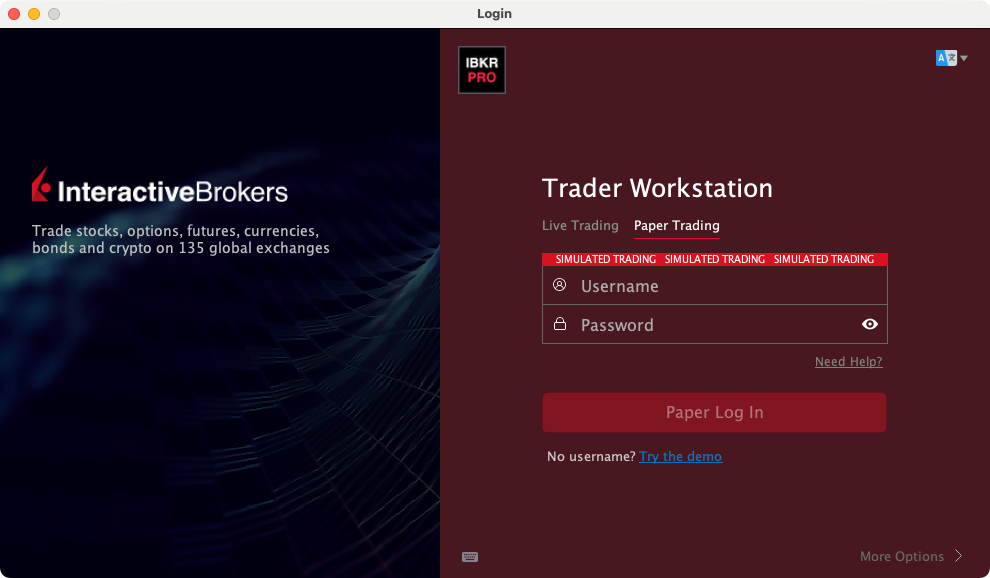
- 1 Check the paper or live mode and account available in TWS. See screenshot.
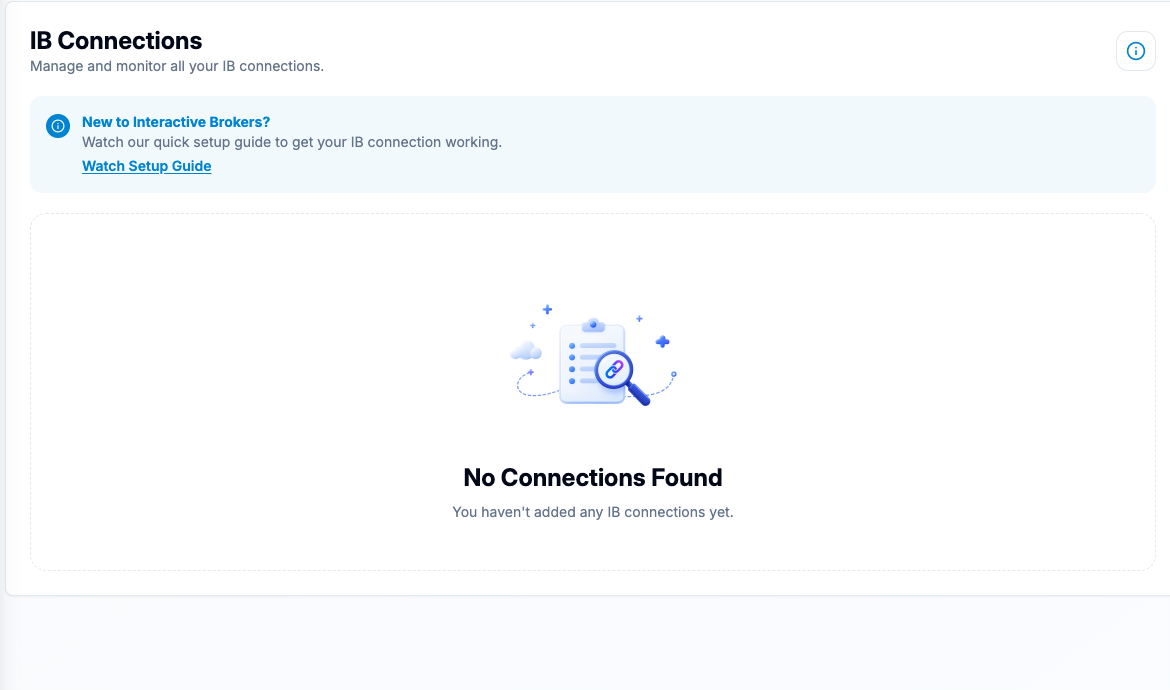
- 2 In PickMyTrade, select IB and open Connections. If it says No Connections Found, complete the desktop connection before choosing an account. See screenshot.
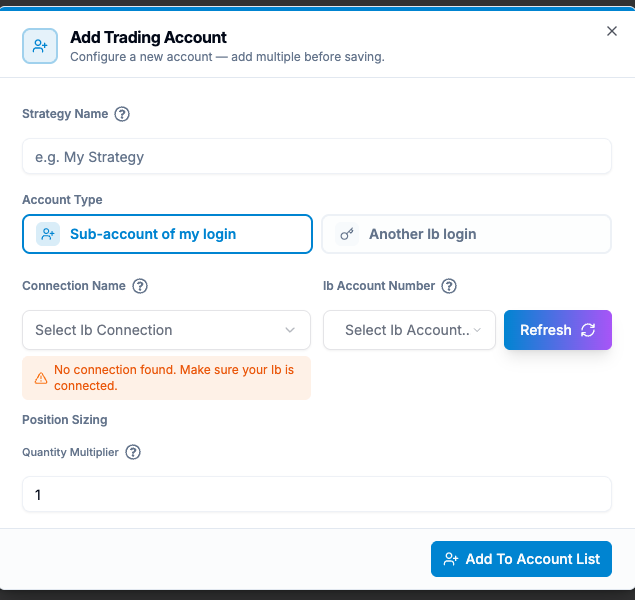
- 3 Open Generate Alert and choose the needed alert type. Under Added IB Accounts, open Add Account. Compare Connection Name and IB Account Number with TWS. See screenshot.
- 4 Review each account row and its Quantity Multiplier before generating the alert. A connection label is not the broker account number.
- 5 Use a controlled paper workflow and check the broker-side account on the resulting record.
A practical example
You name a connection Paper Test, but it points to a session you later changed. The friendly name has not changed even though the account behind it may have. Read the account returned by TWS and the account selected in the alert. Check the real destination before a test. A label, a port, and an account are three different pieces of evidence.
Screen reference
Mistake to avoid
Common questions
Can one login expose several accounts?
Some account structures do. Select the intended destination explicitly.
Is the API client ID my account number?
No. It shows a client connection.