
Error 100 indicates the API client is sending messages too quickly. Stop a retry loop or request burst and have the app control its request rate. More computer memory does not fix an excessive message stream.
Educational software guidance. Trading involves risk. Read the financial and information disclaimers.
Step by step
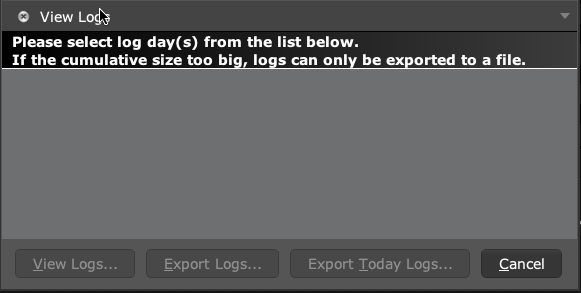
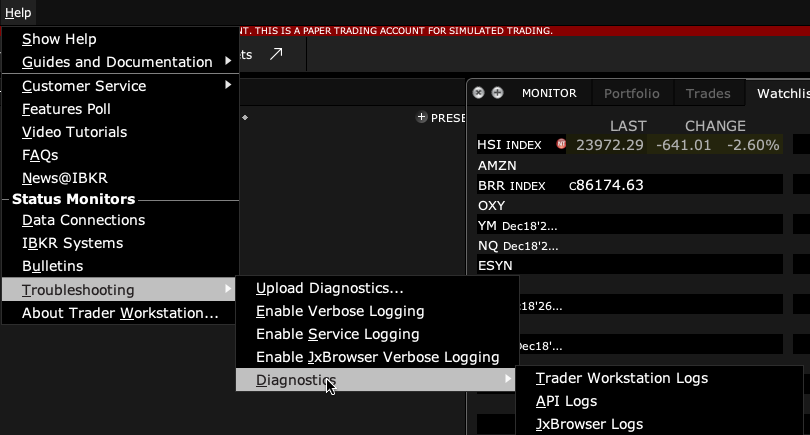
- 1 Save the full app message first. To check a recorded TWS API log, open Help → Troubleshooting → Diagnostics → API Logs. Select its date and choose View Logs. If the list is empty, enable API logging before the next event.
- 2 Note the time the error begins and the client sending the requests.
- 3 Pause the source of repeated requests while preserving order monitoring.
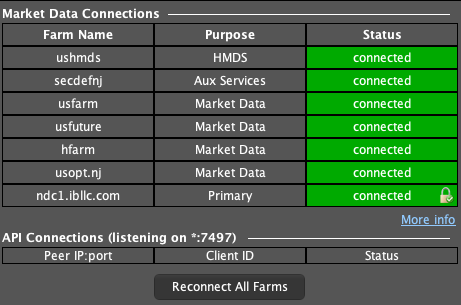
- 4 Check for duplicated app instances, reconnect loops, or a large burst of quote subscriptions.
- 5 Ask the app developer to apply the current IBKR pacing rules and queue requests appropriately.
- 6 Resume with a small workload and monitor for recurring rate messages.
A practical example
An app loses its link, reconnects, and sends the whole watchlist over and over. That loop can create more traffic than the broker accepts. Pause the loop and save the log. A developer can then check the request rate and queue. More RAM will not change the number of messages the server allows. Keep order checks separate so you do not miss a fill while fixing the request stream.
Screen reference
Mistake to avoid
Common questions
Is order traffic part of the workload?
API message pacing is broader than historical-data requests alone.
Should I buy more RAM?
First correct request pacing; hardware changes do not remove protocol limits.