
OCO means one-cancels-other: the intended behavior links orders so that an event on one causes cancellation of another. Where that logic runs depends on the platform and connector. It is not enough to know that both orders use Rithmic. Confirm the order states and cancellation result.
Educational software guidance. Trading involves risk. Read the financial and information disclaimers.
Separate order storage from OCO management
An order can be accepted remotely while the rule deciding to cancel its companion is handled locally. A disconnected platform may therefore leave an unwanted order active even after the position has changed.
The NinjaTrader order-location guide is organized by connection provider. Apex's NinjaTrader/Rithmic guide warns that its OCO functionality needs the local platform connected. Check your exact connector/version rather than extrapolating from a different broker section.
Questions to resolve before using an OCO workflow
- Does the selected account/connector support the intended OCO or bracket arrangement?
- Which application or server manages the relationship?
- What triggers cancellation: any fill, a full fill, manual cancellation, or another event?
- What happens after a partial fill or a change in quantity?
- What remains active when the platform disconnects?
Keep the platform's answers with the configuration. Do not create two independent live orders first and hope an unverified menu will link them later. Use only the grouping method documented for your platform.
Verify the outcome
Use a provider-permitted simulation or suitable existing order history. Capture the two order states and their linkage before the triggering event, then the fill and cancellation responses afterwards. Compare final position quantity and all remaining orders. Hide account and order identifiers in shareable images.
If the final state is unclear, stop sending replacement signals while you establish what is actually working. A duplicate request can add exposure instead of repairing the original relationship.
Observed desktop OCO area
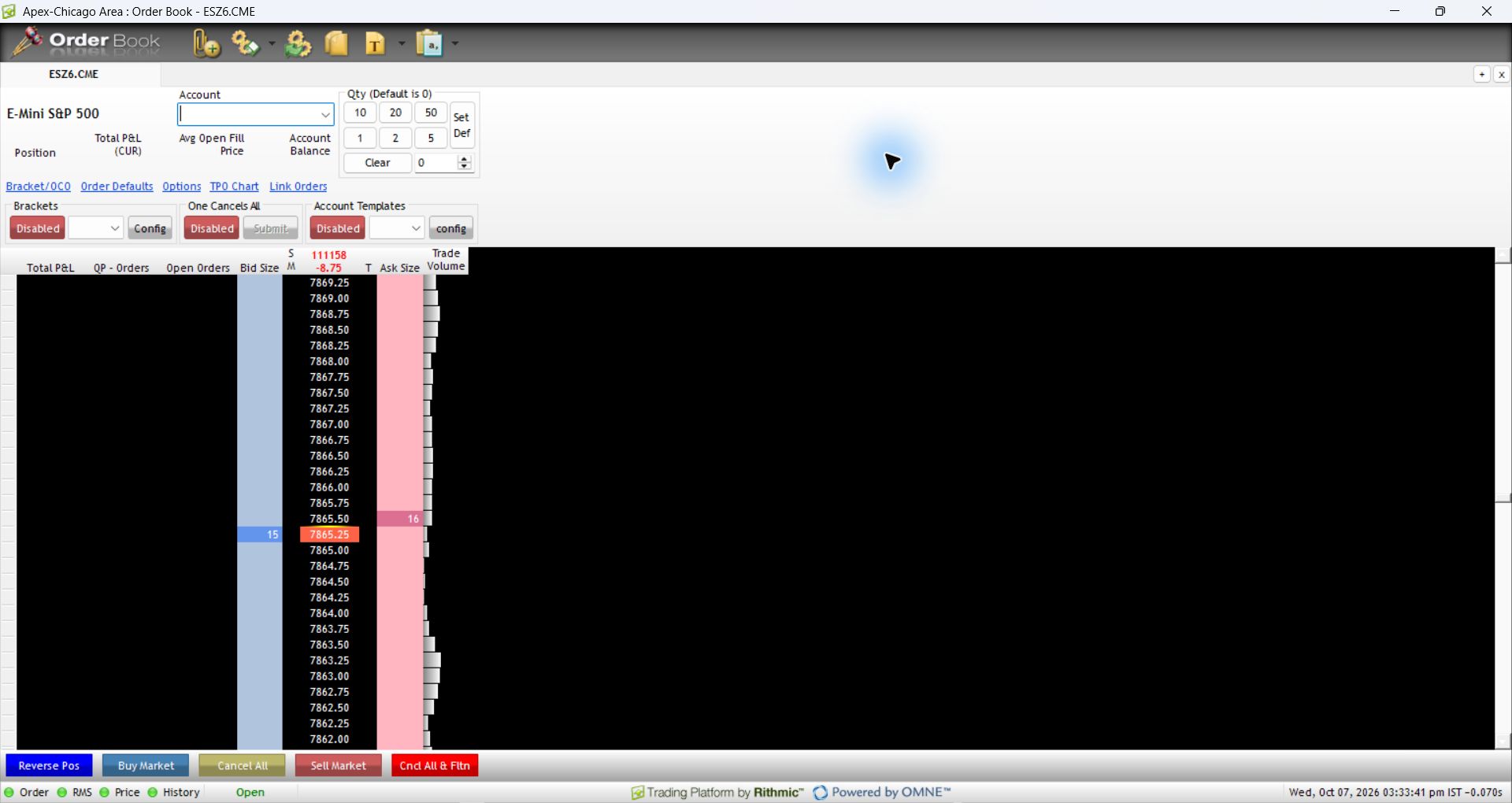
Open File, then Order Book, and select Bracket/OCO. The inspected window revealed separate Brackets and One Cancels All areas. Both were disabled. This confirms the location and terminology, not a method for grouping existing working orders.
Documented platform differences
| Platform / connection | What the current vendor documentation establishes |
|---|---|
| NinjaTrader 8 / Rithmic | Accepted or working orders are held remotely; OCO management is local to the PC. |
| Sierra Chart / Rithmic Direct | Server-managed OCO is supported; server-managed bracket orders are not supported as of the vendor's current writing. |
| R Trader Pro desktop | The native interface references establish control locations, not a completed execution or disconnect test. |
Sources checked 7 October 2026: NinjaTrader's Rithmic-specific order-location section and Sierra Chart's service capabilities. A server-held stop and the software that creates, trails or cancels its companion are different parts of the workflow.
Common questions
Does a bracket always mean server-managed OCO?
No. A bracket configuration does not establish where its management logic runs.
Can both orders fill?
Do not treat OCO as an absolute protection against every race or failed cancellation. Inspect responses and the resulting position rather than relying on a label.
Does changing one quantity update the other?
That is platform-specific. Verify the remaining order quantities after any partial fill or modification.
Has manual OCO grouping in desktop RTrader Pro been tested here?
No. This guide documents the observed configuration area and vendor-defined dependencies. It does not instruct readers to group existing orders through an unverified menu.