
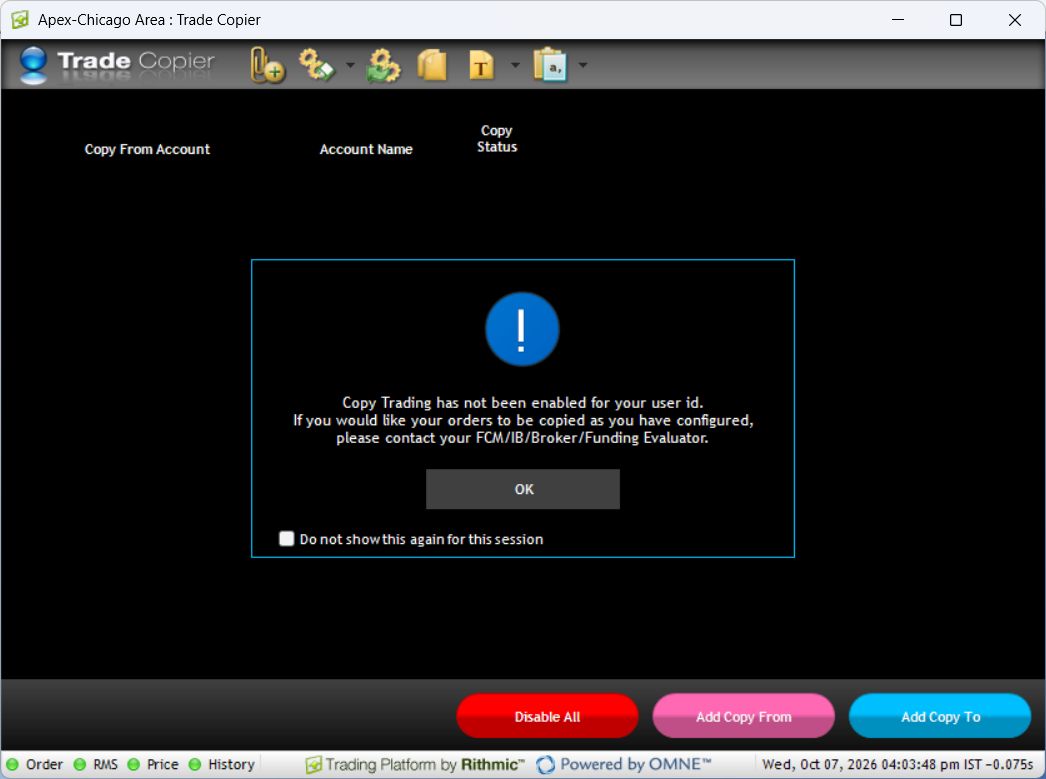
The native Trade Copier identifies a source with Add Copy From and destinations with Add Copy To. Review account selection, size and copy status before activation. Provider documentation describes a Quantity Multiple, but the inspected login was not enabled, so its configuration and execution could not be tested locally.
Educational software guidance. Trading involves risk. Read the financial and information disclaimers.
Controls and their verification status
| Control | Purpose | Evidence |
|---|---|---|
| Add Copy From | Select the source account | Visible in the local native window |
| Add Copy To | Select a receiving account | Visible in the local native window |
| Copy Status | Review the relationship's status | Column visible locally; no active relationship tested |
| Quantity Multiple | Configure destination size | Described in Lucid's guide; not locally configured |
| Disable All | Control copying relationships | Visible locally; not used or tested as an exit command |
Check quantity with whole-contract examples
Write down the expected destination quantity before enabling a relationship. For simple multiplication, a source quantity of two and a multiplier of two would imply four destination contracts. That is arithmetic, not a verified native copier fill. Confirm whether the system sizes from submitted orders, fills or positions and how it handles a result that is not a whole contract.
Do not assume a particular fractional-rounding algorithm, micro-to-mini conversion, symbol filters, reverse copying or a list of supported order types. Those details were not established by this inspection. A multiplier does not override destination account restrictions.
Review an existing configuration
- Match account identifiers against the provider account list.
- Check the relationship's current state and intended direction.
- Compare the expected destination quantity with its permitted exposure.
- Review existing positions and working orders before changing any relationship.
- If the intended workflow depends on modifications, partial fills or recovery, obtain its documented behavior and verify it in an approved simulation before relying on it.
Provider guides and evidence limits
See Lucid's annotated size/status illustration, page 5 beside the locally captured controls above. It is documentation of the interface, not a tested fill ratio.
DayTraders' settings instructions say to disable Copy Status, adjust Quantity Multiplier or Fractional Quantity Rounding, then re-enable after checking the configuration. They do not specify a universal rounding algorithm in that article. Ask for the exact rule if a calculation produces a fractional contract; do not guess.
Rithmic's release notes record multi-account selection in 17.64 and the Copy Trading label in User Profile in 17.68. These versioned references explain terminology; the local capture records the installed version separately.
The inspected login was not enabled for native copying. This article is a documented setup or diagnostic guide; it does not claim that copied orders, partial fills, rounding, cancellations or reconnect recovery were tested. Obtain account-specific confirmation before using behavior that the cited guide does not specify.
To investigate delay, measure source-to-destination intervals separately from network ping and fill outcomes.
Common questions
Is a multiplier a guarantee of matching fills?
No. Account restrictions, market conditions and the timing of independent orders can produce different outcomes. Compare execution records, not just configured size.
Where are the symbol-filter checkboxes?
No such checkboxes were verified in this session. Do not follow a generic guide that assumes they exist in this version.
Can I edit a follower manually?
Confirm how the copier reconciles manual changes before doing so. A local change may interact with later source events; this review did not test that behavior.
Why is the configuration unavailable?
The inspected login displayed a provider-controlled access restriction. Follow the setup and eligibility checks.