
Use a supported execution service/account route, obtain its current generated alert message and endpoint, then configure the matching TradingView event and webhook. Verify the alert, recipient and Rithmic order outcome separately. An existing PickMyTrade/Rithmic connection and message generation were observed on 8 October 2026; alert delivery and broker execution remain untested.
Educational software guidance. Trading involves risk. Read the financial and information disclaimers.
Confirm prerequisites
| Requirement | Check |
|---|---|
| Rithmic account | Provider-issued login, assigned System and supported account type |
| Execution service | Current compatibility and account exclusions |
| Provider permission | Intended automation rules for this account stage |
| TradingView | Webhook-enabled features, required two-factor authentication and alert capacity |
| Script/alert | Correct indicator/strategy event and exit handling |
PickMyTrade's setup guide currently identifies Bulenox as unsupported in its Rithmic route and temporary Protocol trial accounts as unsuitable for that connection. A login that works in desktop RTrader Pro does not establish this service's eligibility. Verify current pricing separately rather than assuming every connection is free.
Documented connection and generator sequence
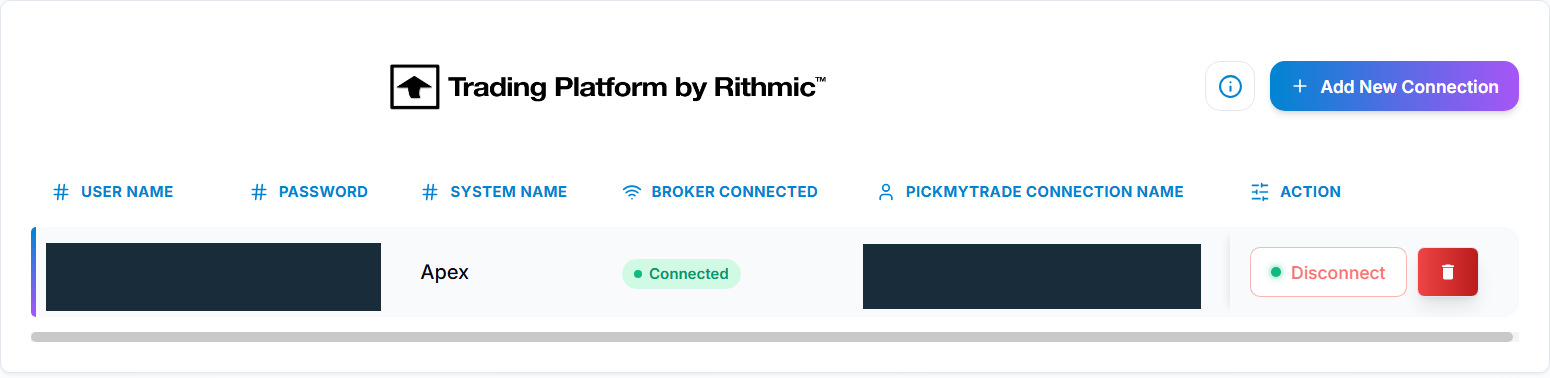
- Open the supported PickMyTrade account and its Broker Connections / Rithmic Connection workflow.
- Add the connection using the issued Rithmic credentials and matching System Name described by the provider.
- Confirm the actual connection and intended account state; do not infer trading eligibility from a screenshot's status.
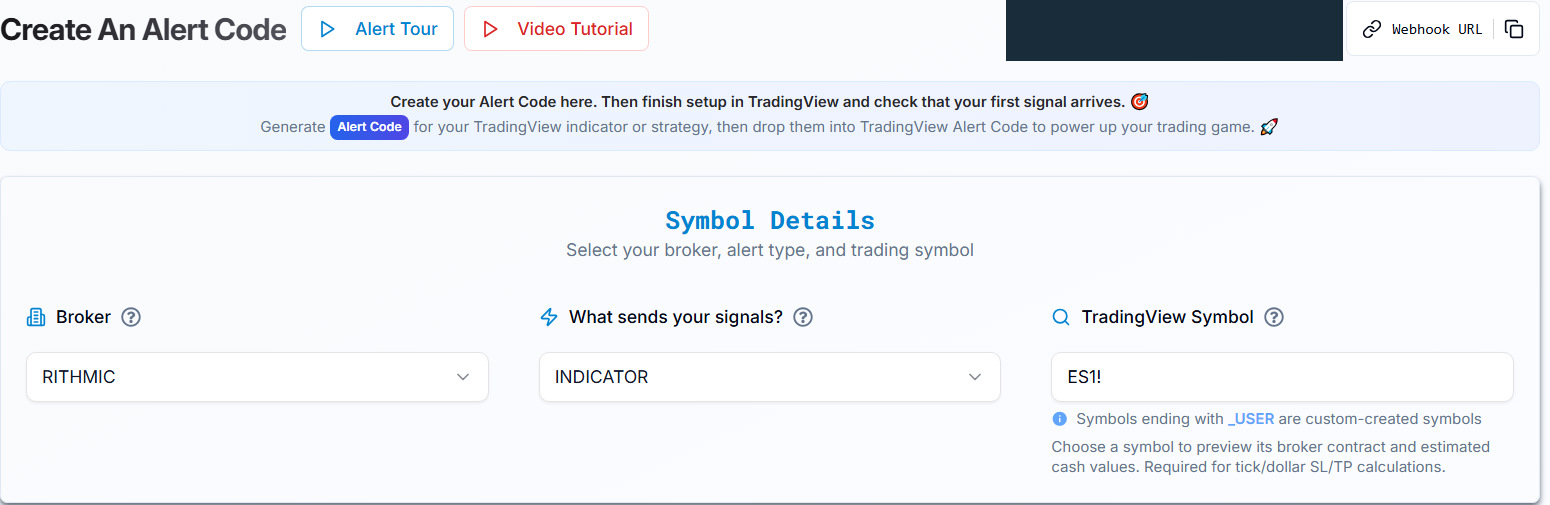
- Open Generate Alert Code, select Rithmic and the intended indicator/strategy type, then configure the exact execution symbol and supported quantity/exit choices.
- Copy the current generated message and webhook endpoint. Do not guess a server list, endpoint path or substitute JSON keys.
- Create the TradingView alert using the event and message instructions for that script/integration.
- Verify each stage in a suitable permitted environment before relying on the workflow.
Configure the webhook carefully
TradingView's webhook guide describes the notification field and two-factor requirement. A valid JSON message is sent with its documented JSON content type. The field below contains a vendor example endpoint, not a PickMyTrade address:
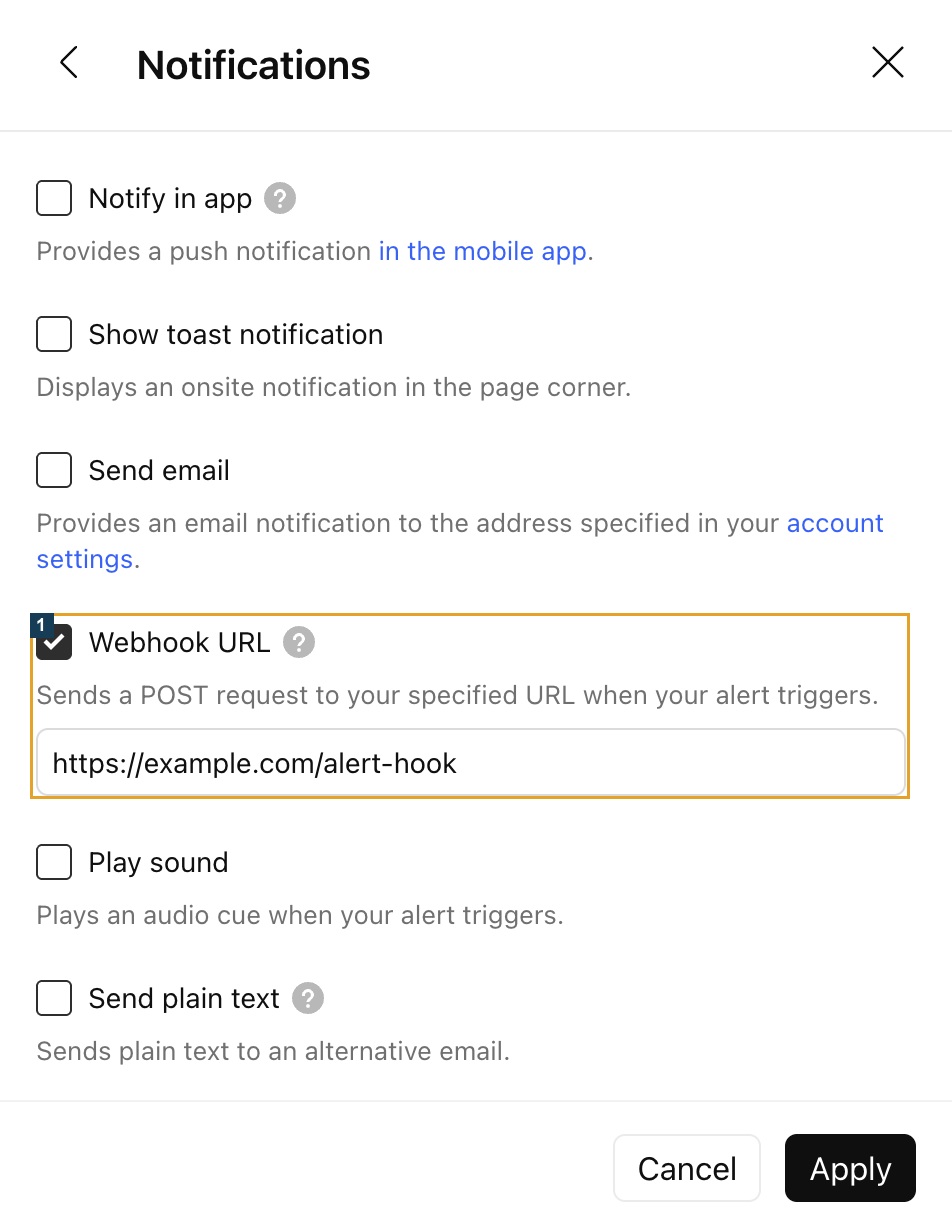
Published PickMyTrade JSON uses fields such as data and quantity, and different strategy/indicator examples have different signal meanings. Its examples are not a license to combine guessed fields. Price and SL/TP terminology also differ between documents; obtain the current generator's unit explanation before configuring a monetary or point distance. No working payload is invented here.
TradingView field examples
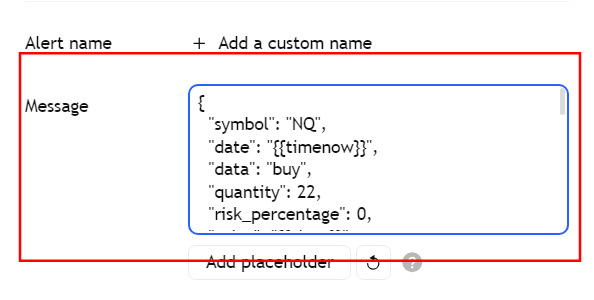
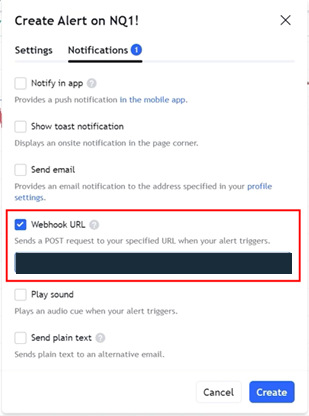
Source: PickMyTrade TradingView alert guide, checked 8 October 2026. These are field-location examples. Its historical screenshots contain a different chart/payload example and an older .trade endpoint; do not copy those values into the Rithmic .io workflow. Use the message and endpoint from the current matching generator. For an indicator, choose that indicator's intended condition; for a strategy, follow its required event source rather than assuming a generic price-crossing event is equivalent.
Validate the intended result
Record the alert event and delivery status, recipient validation/resolved account and contract, broker acknowledgement, then the actual order/fill record. A successful HTTP response is not proof of a fill. Conditional TradingView retries also mean one alert trigger is not necessarily one delivery; see troubleshooting.
Keep generated tokens and credentials private. A public payload illustration must be redacted and labeled as non-executable. Check account permissions and the intended risk configuration before activating automation.
Where to inspect the response
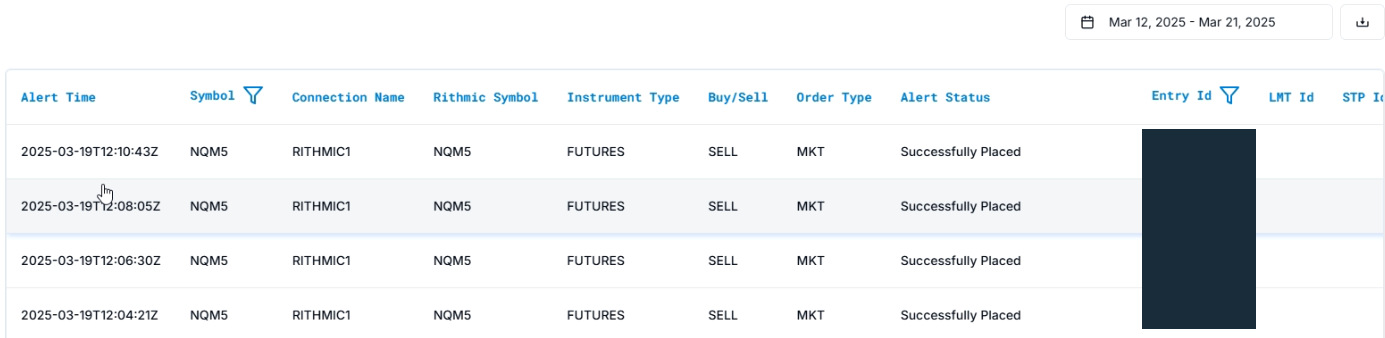
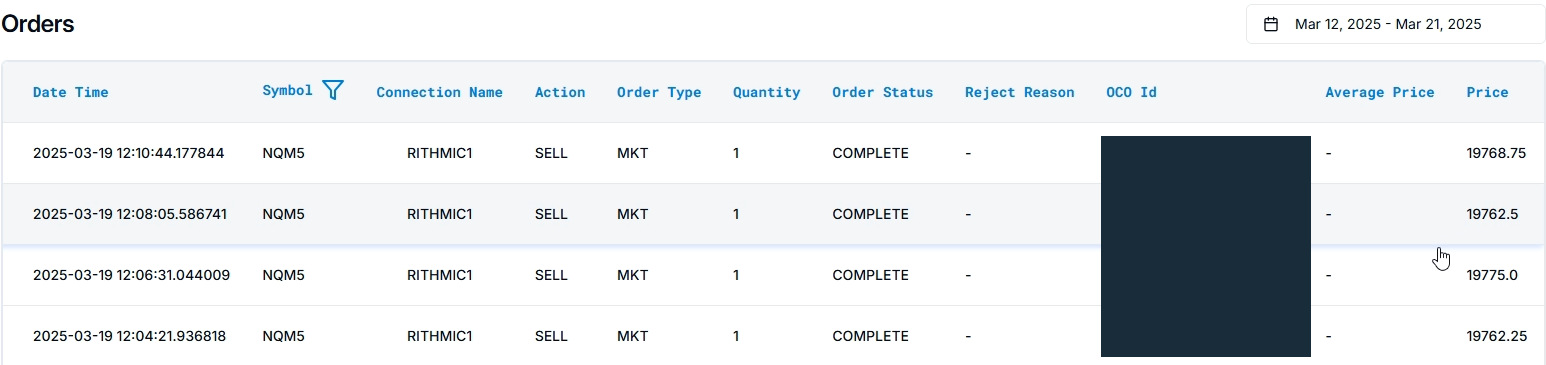
Sources: PickMyTrade Alerts guide and Orders guide, checked 8 October 2026. Compare time, connection, account, symbol and identifiers in your own records. An alert status and an order status describe different stages; reconcile the broker's own order/fill history before concluding that a trade filled. These vendor examples are separate illustrations, not a verified matched execution chain.
Evidence scope and checks for your account
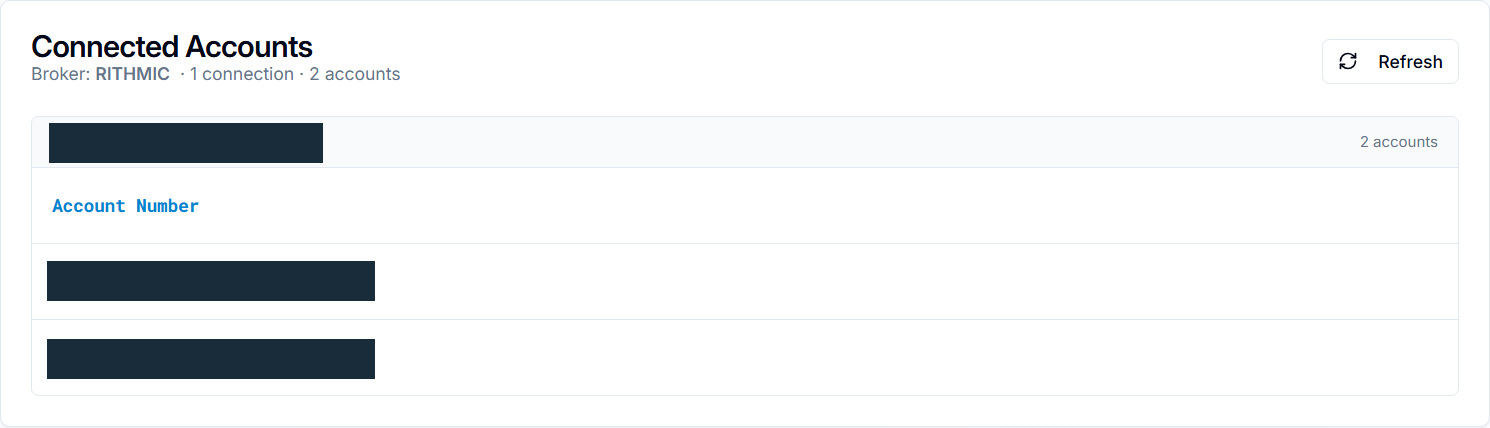
On 8 October 2026, the authenticated PickMyTrade session showed an existing Rithmic connection marked Connected and two available accounts. The current generator produced an unsaved documentation message for those two destinations. The displayed 8 September–9 October history range contained no alert logs or orders. The one existing saved configuration was for IB, not Rithmic. No message was sent, no TradingView alert was saved, and no order was submitted.
The redacted two-destination message and selected tick calculation are now retained. To validate your own workflow, compare the matching TradingView event, resolved execution contract, recipient response and actual broker result. A 2xx webhook response establishes neither an accepted order nor a fill. Do not use the temporary public Rithmic trial as a substitute for the eligible Protocol account required by the documented receiver.
Common questions
Can I use the Rithmic desktop login as proof of bridge eligibility?
No. Service support, provider permission and account-route requirements remain separate.
What webhook URL should I type?
Use the exact endpoint supplied by the current receiving application. This guide intentionally provides no guessed account-specific URL.
Can I copy a generic buy JSON from an old article?
Use the current generator for the specific alert/account route. No universal executable template was verified here.
Does Connected mean the alert workflow is tested?
No. Verify the message, recipient and broker outcome as separate stages.