
Use the current message generated for the actual account and indicator/strategy route. Validate JSON syntax, resolved placeholders and trading meaning separately. The published PickMyTrade Rithmic reference uses data and quantity; guessed action/qty examples are not a verified replacement. A current account-specific message was generated on 8 October 2026 and retained with private fields redacted. It was not sent or execution-tested.
Educational software guidance. Trading involves risk. Read the financial and information disclaimers.
Three checks for the same message
| Check | Question |
|---|---|
| Syntax | Does the complete resolved message parse as JSON? |
| Schema/meaning | Does the recipient support these fields and values for this workflow? |
| Outcome | Did the intended account/contract receive the request and what did the broker record? |
Syntax validity cannot prove the other two. TradingView documents the JSON content type, not the recipient's order schema.
Read published fields in scope
PickMyTrade's reference separates indicator and strategy examples. Verify the current generator's signal, quantity, symbol and account choices. Its public example tokens/accounts must not be reused.
Strategy placeholders can have different meaning from an indicator's fixed buy/sell signal. A resulting position size is not automatically the same as the quantity of the next order. Select the actual generator/strategy mode instead of combining fragments from separate examples.
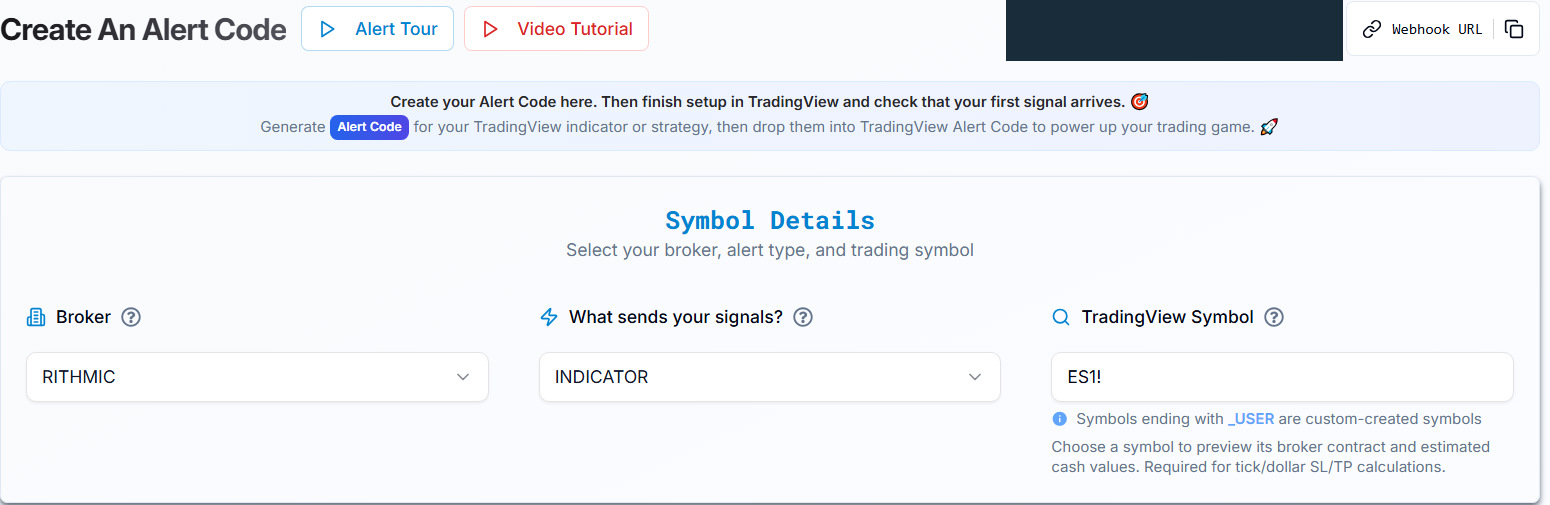
Resolve unit and exit ambiguity before use
The reviewed public pages use price, points/dollars and total-risk language in different contexts. Some explanatory text also promises immediate market execution or capped loss, which is not established by an order instruction. Do not infer the unit of sl or tp from a key name or copy a numerical stop example blindly. Use the current generator's calculation details and confirm any unresolved documentation difference with official support.
The strategy guide distinguishes strategy exits, attached SL/TP and multiple exits. Check that the message is generated for the intended mode.
Observed tick-mode conversion on 8 October 2026
In the authenticated INDICATOR / BUY / MKT draft, ES1!, quantity 1, TICKS, stop 8, target 16 and trailing NO produced dollar_sl: 2 and dollar_tp: 4. The UI used a 0.25 minimum tick and lot size 50 to display $100 and $200 estimates. Thus, for this generated draft, the named dollar_* values matched tick-to-price distances, not those displayed cash amounts. This observation does not establish the meaning of every mode or the broker's eventual order handling.
The UI labels its estimates “max loss” and “max profit.” These are calculation labels, not verified loss caps or profit guarantees; actual fills, slippage and costs were not tested. The numbers are documentation inputs, not a trading recommendation.
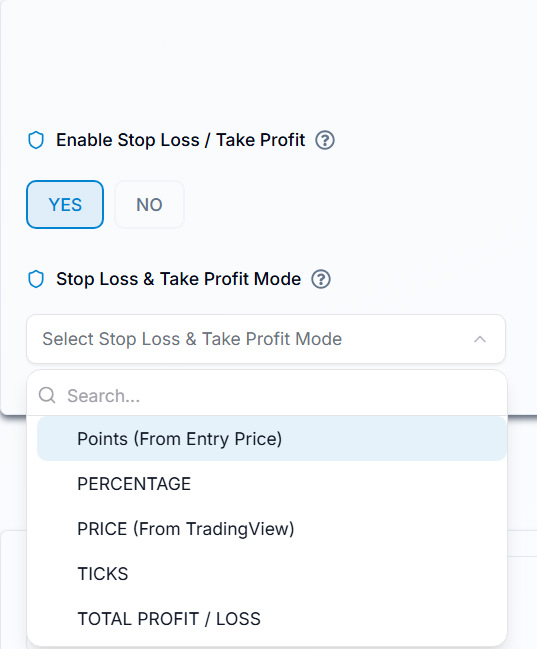
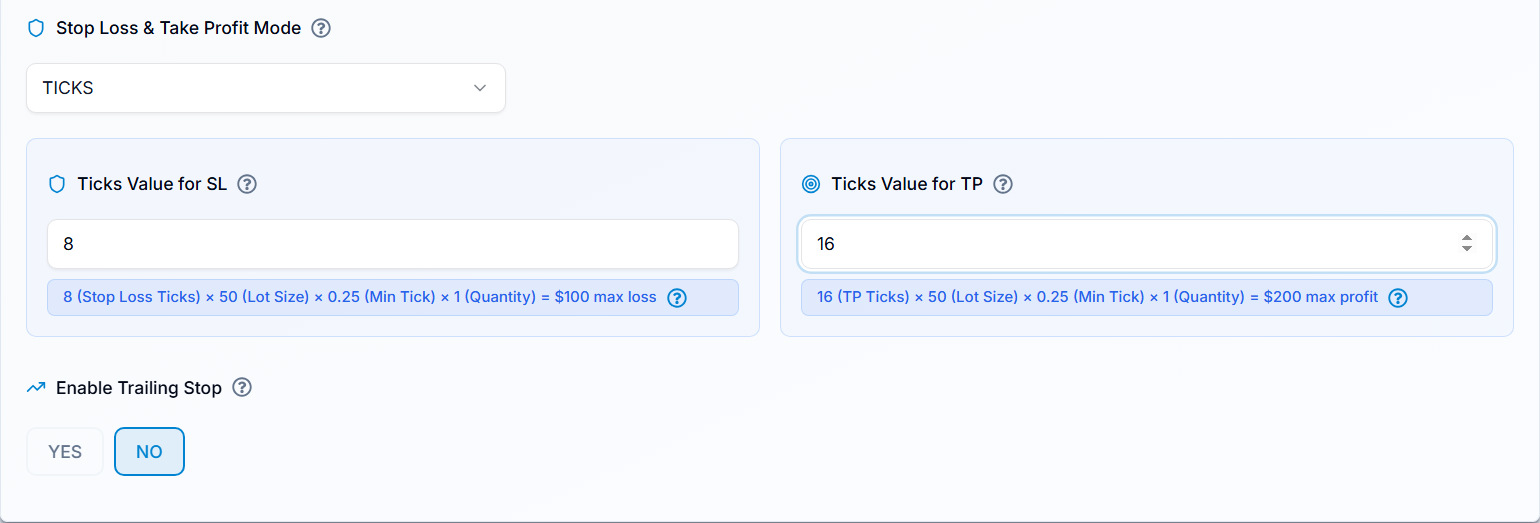
The following is the complete generated message with tokens, connection and account identifiers replaced. It is a non-executable evidence sample, not a template to run. {{timenow}} and {{close}} remain unresolved because no TradingView event fired. The generated duplicate/reversal flags are recorded as returned, not recommended settings. ES1! is not proof of a resolved dated broker contract.
{
  "symbol": "ES1!",
  "date": "{{timenow}}",
  "data": "buy",
  "quantity": 1,
  "price": "{{close}}",
  "tp": 0,
  "percentage_tp": 0,
  "dollar_tp": 4,
  "sl": 0,
  "dollar_sl": 2,
  "percentage_sl": 0,
  "lmt_to_market_wait": 0,
  "order_type": "MKT",
  "token": "REDACTED",
  "duplicate_position_allow": true,
  "platform": "RITHMIC",
  "reverse_order_close": true,
  "trail": 0,
  "trail_trigger": 0,
  "strategy_name": "Documentation Draft Not Executed",
  "multiple_accounts": [
    {
      "token": "REDACTED",
      "account_id": "REDACTED_ACCOUNT_1",
      "connection_name": "REDACTED_CONNECTION",
      "risk_percentage": 0,
      "quantity_multiplier": 1
    },
    {
      "token": "REDACTED",
      "account_id": "REDACTED_ACCOUNT_2",
      "connection_name": "REDACTED_CONNECTION",
      "risk_percentage": 0,
      "quantity_multiplier": 1
    }
  ]
}
Check the response separately from the JSON
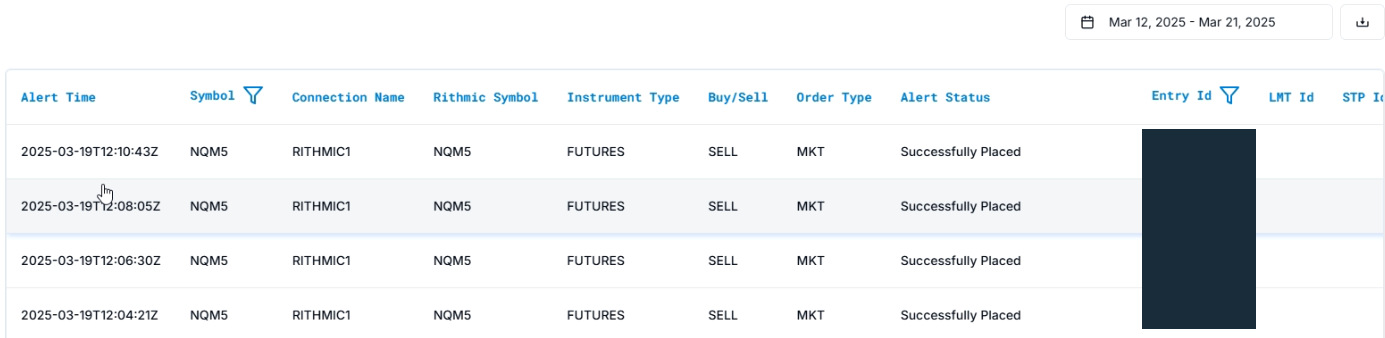
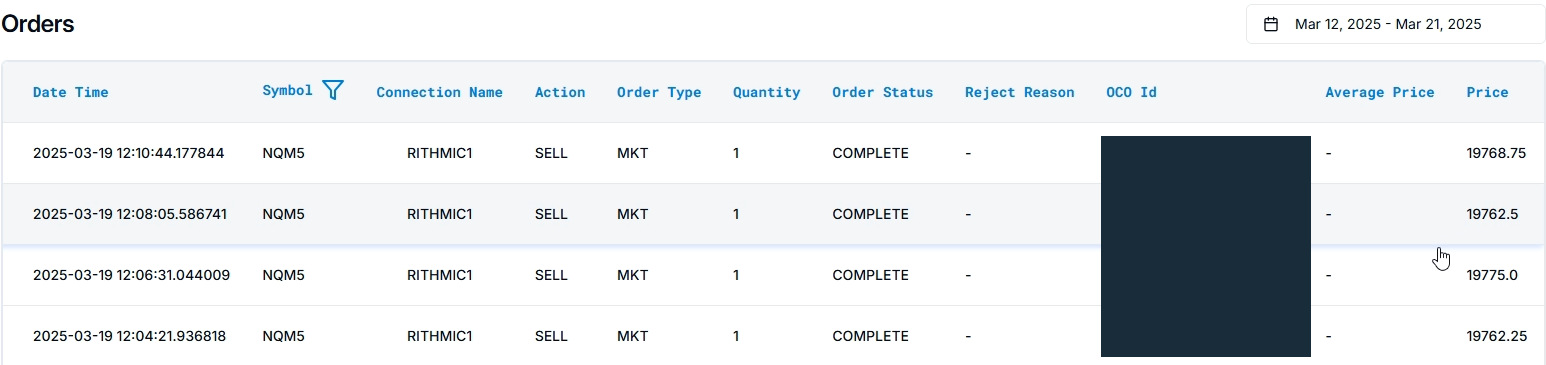
Sources: PickMyTrade Alerts guide and Orders guide, checked 8 October 2026. Compare time, connection, account, symbol and identifiers in your own records. An alert status and an order status describe different stages; reconcile the broker's own order/fill history before concluding that a trade filled. These vendor examples are separate illustrations, not a verified matched execution chain.
Preserve private and diagnostic information separately
Keep the current private message in secure configuration. For a public example, replace tokens/account identifiers with clearly non-executable redactions and retain its source/date/mode. Log the redacted resolved event and actual recipient response. If the outcome is uncertain, reconcile broker history before resending.
Evidence scope and checks for your account
On 8 October 2026, the authenticated PickMyTrade session showed an existing Rithmic connection marked Connected and two available accounts. The current generator produced an unsaved documentation message for those two destinations. The displayed 8 September–9 October history range contained no alert logs or orders. The one existing saved configuration was for IB, not Rithmic. No message was sent, no TradingView alert was saved, and no order was submitted.
The redacted two-destination message and selected tick calculation are now retained. To validate your own workflow, compare the matching TradingView event, resolved execution contract, recipient response and actual broker result. A 2xx webhook response establishes neither an accepted order nor a fill. Do not use the temporary public Rithmic trial as a substitute for the eligible Protocol account required by the documented receiver.
Common questions
Can I shorten the message to symbol/action/qty?
No verified universal shorthand is established. Use the current supported generator/schema.
Does the chart's symbol text always match the execution symbol?
No. Check the generator's symbol mapping and resolved contract separately.
Are sl/tp always ticks?
No universal unit is established by the key names. Confirm the selected generator calculation mode.
Does valid JSON prove the order will fill?
No. Validation, account permission and broker execution are separate.