
Find the first missing stage: the TradingView alert event, webhook delivery, receiving-service record or Rithmic order response. A fired alert is not proof of a fill. Preserve timestamps and logs before changing settings or resending anything. TradingView documents retries for certain HTTP server errors, so do not assume one trigger can produce only one delivery.
Educational software guidance. Trading involves risk. Read the financial and information disclaimers.
Start with the evidence you have
| Last confirmed stage | Next useful check |
|---|---|
| Strategy/indicator signal on chart | Was a running alert created for the intended event? |
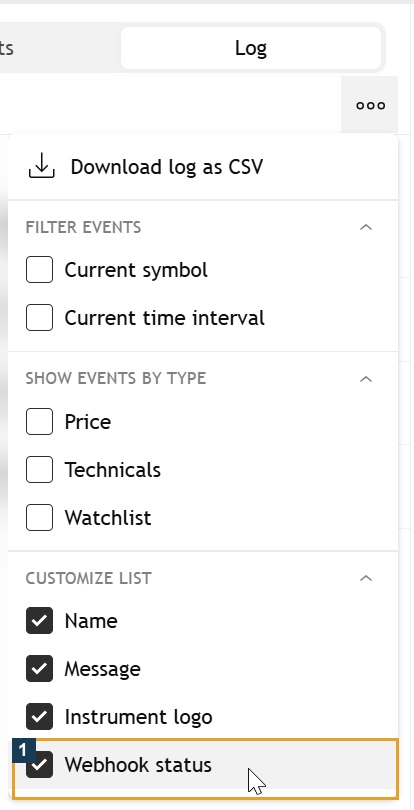
| Alert in TradingView Log | Webhook URL configuration and Webhook status |
| HTTP delivery result | Receiving-service record and payload validation |
| Service accepted the alert | Intended connection/account and recorded order request |
| Broker acknowledged a request | Actual working, rejected, canceled or filled state |
If an order outcome is uncertain, check the account/order record before resending the alert. A timeout may leave the recipient's processing outcome unknown.
1. Confirm the running alert
Check its enabled state, condition, symbol, timeframe and expiration. For script alerts, TradingView uses a saved script/input/chart context. Changing the chart or script inputs does not update that existing snapshot; recreate the alert when that context must change, following TradingView's alert documentation.
Match the event to the integration: an indicator condition, alert() call and strategy order-fill event are different sources. Selecting both event streams can send two requests only if both actually trigger and contain trade messages. Inspect the timeline instead of assuming duplication.
2. Inspect webhook delivery
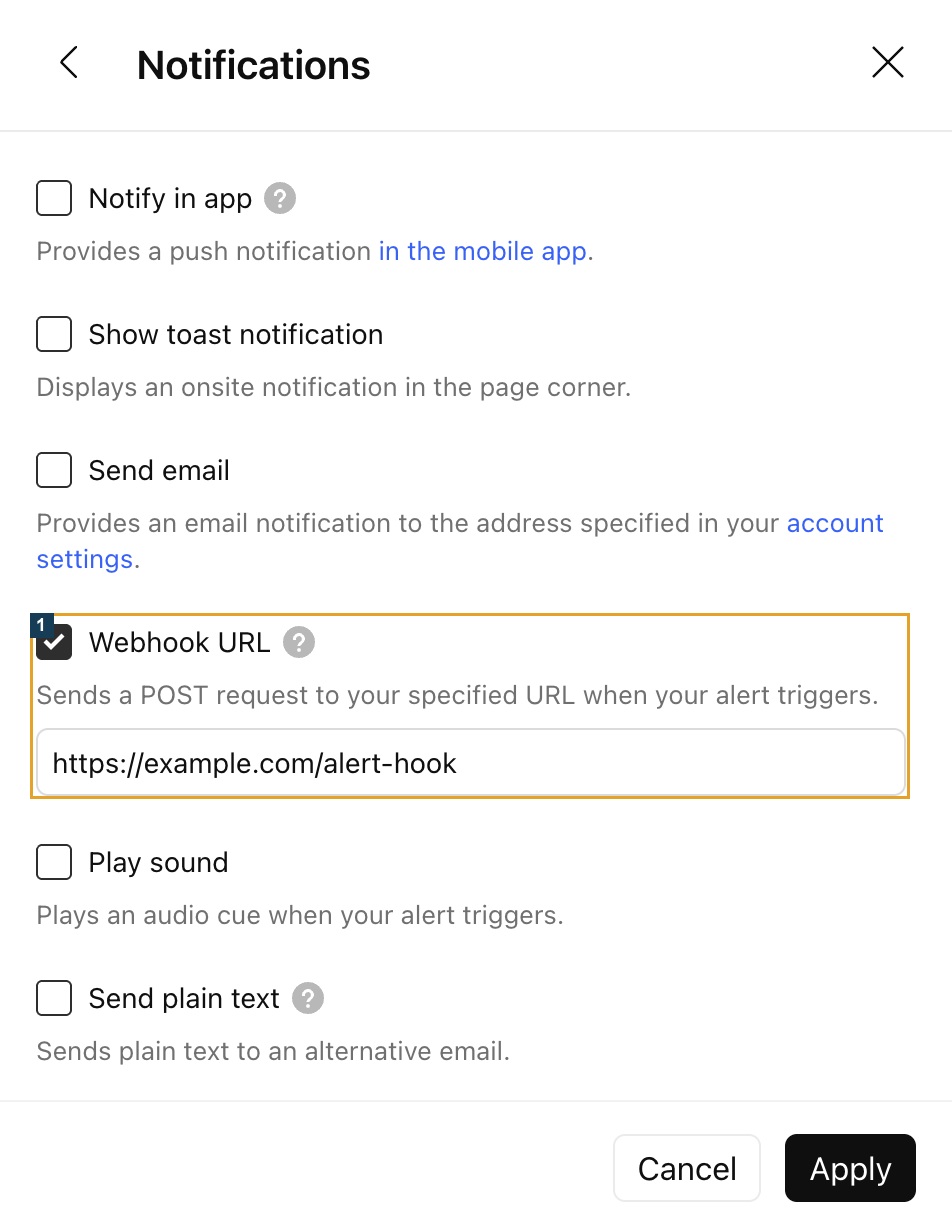
The official webhook configuration guide documents the notification field, two-factor requirement and Webhook status column. Use the exact endpoint copied from the receiving application. Do not guess a PickMyTrade URL path.
| Result family | Investigate |
|---|---|
| Redirect | Changed endpoint or authorization redirect |
| Client error | Access, endpoint, formatting or request limit |
| Server error | Receiving-service failure and possible resend |
| Timeout/unavailable URL | Response time, public reachability and endpoint correctness |
These are diagnostic categories from TradingView's error guide, not invented PickMyTrade error strings. A localhost preview address is not a public receiving endpoint.
3. Account for retries
TradingView's resubmission guide says HTTP 500–599 responses, except 504, can cause resends at five-second intervals, with at most four sends for one trigger. Do not extrapolate this to every timeout or every error. It does not establish how the receiving service prevents duplicate orders.
4. Check the recipient and Rithmic separately
For PickMyTrade, use its current generated account-specific message. Compare signal type, connection/account, contract, quantity and exit mode. Its published JSON reference uses data and quantity; replacing them with guessed action and qty is not a verified repair. The reference is not a substitute for the current generator or a tested payload.
Preserve any service validation error and the broker response. Confirm the resolved contract and account before interpreting “success.” The native quote captured here shows ESZ6 data, not a webhook result:

If the service record is missing despite a reported delivery, provide the timestamp/timezone and redacted request context through official support. Do not post tokens, passwords or private account/order IDs publicly.
Common questions
Does HTTP success mean the trade filled?
No. Verify receiving-service validation, order acknowledgement and the recorded fill separately.
Does TradingView never retry?
It documents conditional resubmission for certain server-error responses. Do not infer universal retry or recipient deduplication from that rule.
Should I resend a timed-out alert?
First reconcile the receiving-service and broker records. A second send can produce another request when the earlier outcome is unknown.
Will changing the chart fix an existing script alert?
Not necessarily. Its saved context remains separate; recreate it when that context needs to change.