
A watchlist shows price updates at set intervals. It may not show every trade. Check which feed your app uses: standard quotes or tick-by-tick data. The update rate can vary by product and region. A faster screen refresh will not change the feed itself.
Educational software guidance. Trading involves risk. Read the financial and information disclaimers.
Step by step
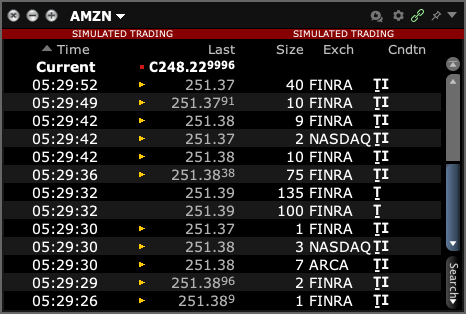
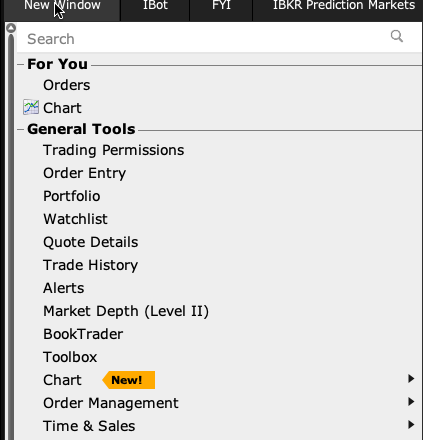
- 1 In Mosaic, open New Window → Time & Sales → Time & Sales for the contract. Choose the trade-price view if offered. This event list and a watchlist quote are different views.
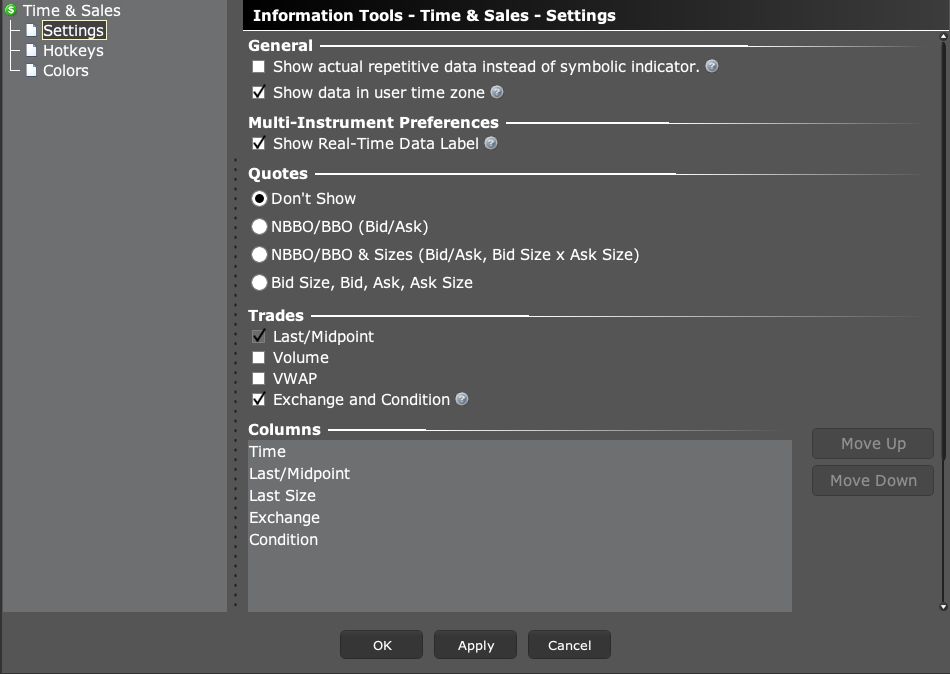
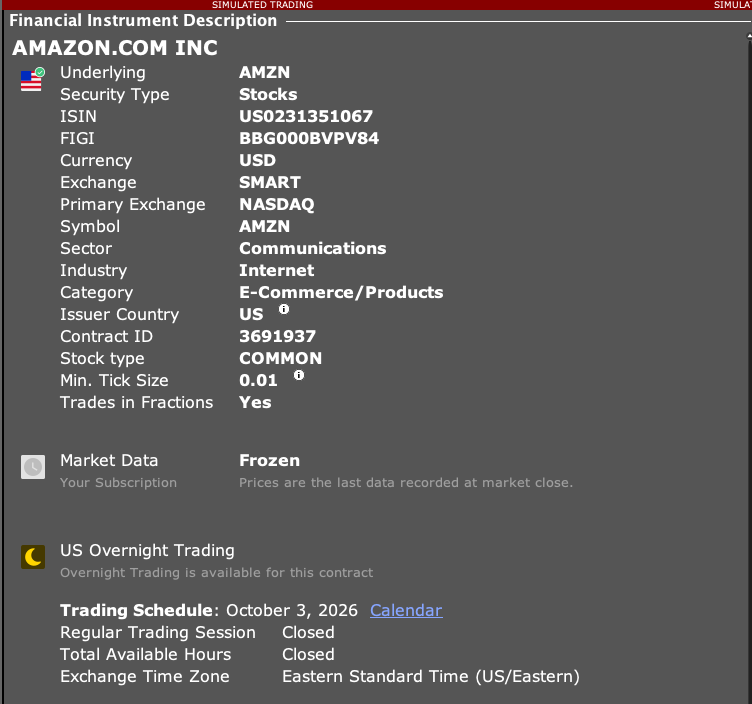
- 2 Use the Time & Sales gear → Settings to check trade fields, quote rows and time zone. Check the contract and feed access too. A populated old list does not prove that a live feed is working.
- 3 Record a short interval with timestamps rather than judging by screen movement alone.
- 4 For custom software, ask the developer to confirm the requested API method and supported update behavior.
- 5 Choose a supported data path that matches the analysis you need.
A practical example
A screen can update several times a second without showing every trade that took place. Think of a photo taken at intervals compared with a full event list. If your task needs the event list, check that the app requests a supported tick feed. Making the screen redraw faster will not add events to a feed that did not send them in the first place.
Screen reference
Mistake to avoid
Common questions
Is a slowly changing last price always a disconnect?
No. The market may be quiet, or the stream may update on intervals. Check timestamps and status.
Does tick-by-tick support cover every product?
Verify availability and limits for the requested product.