
A paper account does not automatically receive every live exchange feed. Check its data-sharing setup, the live user’s data access, and competing sessions. First confirm whether the missing value is a quote, a chart, or an option calculation.
Educational software guidance. Trading involves risk. Read the financial and information disclaimers.
Step by step
- 1 Find one affected contract in the paper TWS watchlist.
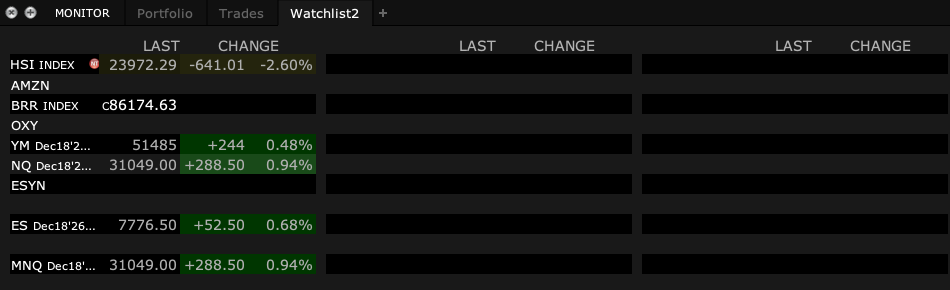
- 2 Note whether it shows delayed data, no data, or a permission message.
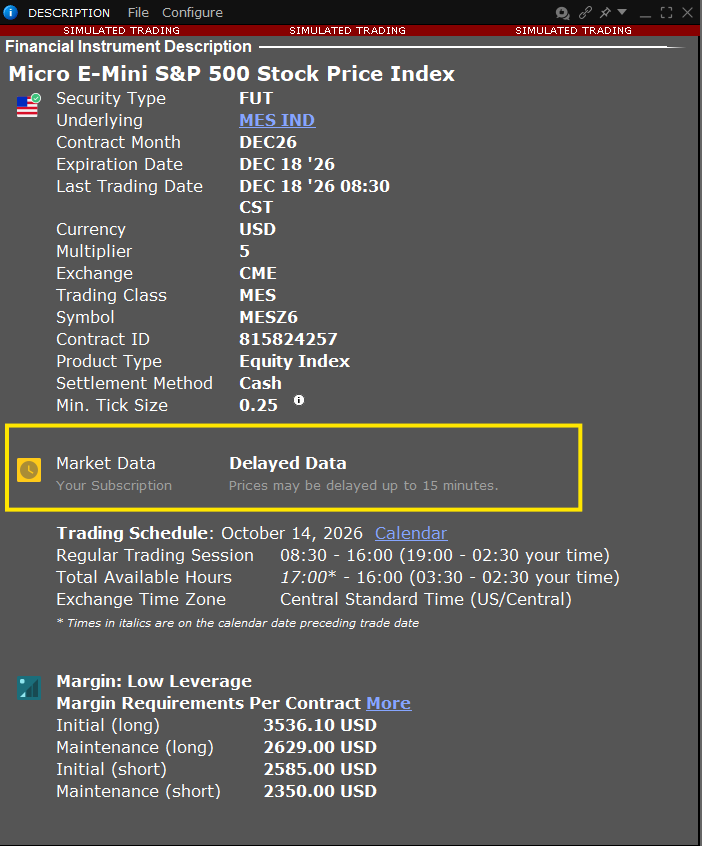
The Market Data line in a contract’s Description shows whether TWS is serving delayed data for it. - 3 Check the paper account’s market-data sharing setup in Client Portal.
- 4 Confirm that the chosen live user has the needed subscription and is not creating a competing data session.
- 5 Reconnect the intended paper session if instructed and test the same contract.
A practical example
Suppose the live account has the feed you need, but the paper app has blank prices. Start with the paper sharing setup. Check which live user shares the feed and whether that user is active somewhere else. Try one known symbol after you resolve the conflict. Keep this separate from a paper fill test. A paper order can behave differently from a live order even when both use the same current quote.
Screen reference
Mistake to avoid
Common questions
Does a funded live account alone provide all data?
No. Product, exchange, and username data access rights still matter.
Why does data stop when I open another app?
Investigate competing sessions and the username sharing data.