
Error 110 means an order price does not fit the contract’s allowed price increment, also called its tick size. Check every price field, including the stop and limit. Decimal places alone are not enough to validate a price.
Educational software guidance. Trading involves risk. Read the financial and information disclaimers.
Step by step
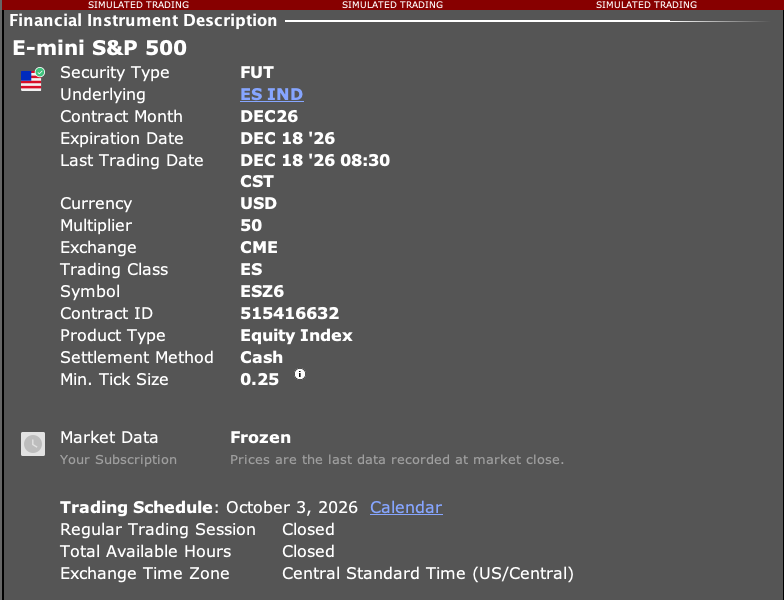
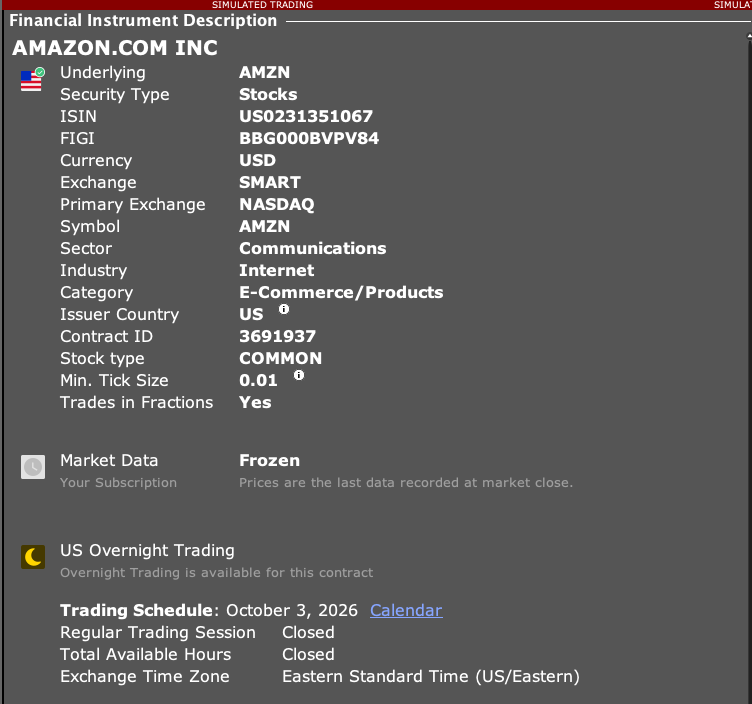
- 1 Open the product’s Description in TWS and confirm you have the correct contract.
- 2 Check its price-increment details or the applicable market rule. Some rules vary by price range or venue.
- 3 Compare the rejected limit, stop, and offset values with the allowed increments.
- 4 Correct the alert or app setting that created the invalid value. Choose the adjustment with care because it changes the order price.
- 5 Review a paper order preview or the generated request before resubmission.
A practical example
Suppose a contract permits price steps of 0.05 and an app sends 10.03. That price is not on the allowed grid. Check which field used it: the entry limit, stop, or target. Do not assume a number with two decimal places is valid. First read the rule for the actual contract, then choose the new price on purpose rather than rounding every order in the same direction.
Screen reference
Mistake to avoid
Common questions
Is tick size the same as tick value?
No. Tick size is a price step; tick value is its monetary effect for a contract.
Can the stop price cause 110?
Yes. Review all price fields, not only the entry limit.