
Read every leg of the spread: which contract, buy or sell, and how many. Then check the whole order’s route and price. One wrong leg changes the trade. A valid pair of options does not mean the broker supports every way to combine them.
Educational software guidance. Trading involves risk. Read the financial and information disclaimers.
Step by step
- 1 List each intended leg’s full contract and buy or sell direction.
- 2 Compare leg ratios and the overall order side with the intended spread.
- 3 Check the exchange, guaranteed or non-guaranteed handling, and supported pricing form.
- 4 Read the broker’s exact rejection to identify a leg or order attribute.
- 5 Resolve the corrected spread in a paper workflow before relying on it.
A practical example
A spread has two legs with a one-to-one ratio. If one side or one expiry is wrong, the whole trade is different even if the net price looks familiar. Read each leg aloud: buy or sell, full contract, and count. Then check the whole-spread price. If the broker refuses it, preserve that definition and the reason. Sending the legs one at a time is a different trade plan, not a neutral repair.
Screen reference
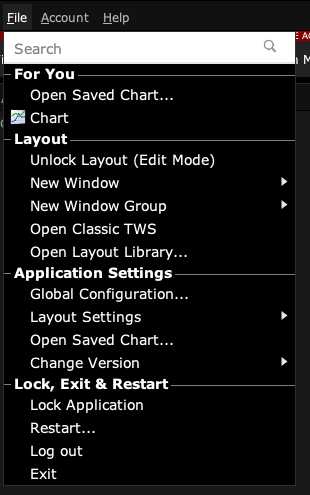
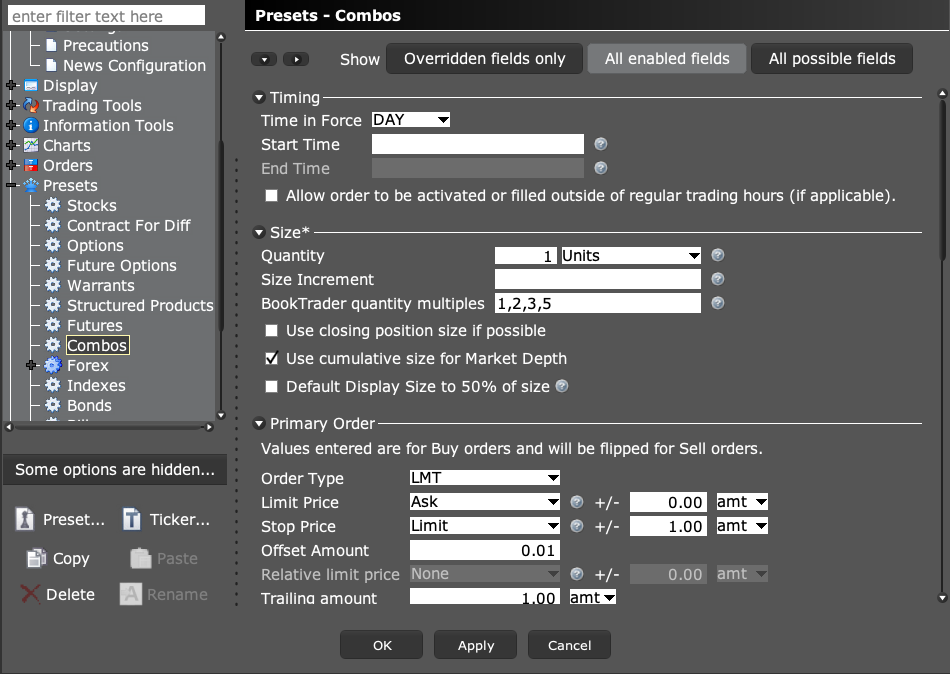
Start in Mosaic with File → Global Configuration. Then choose the panel named in the steps.
Mistake to avoid
Common questions
Can a combo price differ from a leg price?
Yes. Confirm whether the request prices the whole spread or individual legs.
Does TWS support every combination an app can describe?
No. Product, route, and order-format restrictions still apply.