
Error 326 means another active API connection is using the same client ID. Find the duplicate app or assign a distinct supported ID. A client ID shows an API connection; it is not your IBKR account number.
Educational software guidance. Trading involves risk. Read the financial and information disclaimers.
Step by step
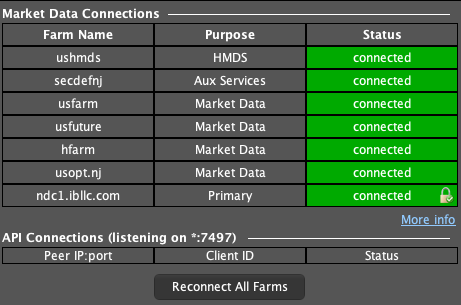
- 1 Open Help → Data Connections and check the API Connections list for client IDs. Check whether the same desktop app is open twice, including on a VPS.
- 2 Close only the duplicate instance after checking what it is managing. Keep the intended connection running.
- 3 If two different apps must connect, check each app’s supported client-ID setup.
- 4 Assign distinct IDs using the apps’ documented controls, or ask support if an app fixes its ID internally.
- 5 Reconnect once and review open orders and positions before resuming automation.
A practical example
Suppose you start a second copy of the same app by mistake. Both copies ask TWS to use client ID 7. TWS cannot treat them as two distinct clients with the same ID. Close the extra copy after checking that it is not the one managing your orders. If you really need two apps, use the IDs their setup guides call for. Keep the account number separate from these client IDs.
Screen reference
Mistake to avoid
Common questions
Is Master API client ID the same setting?
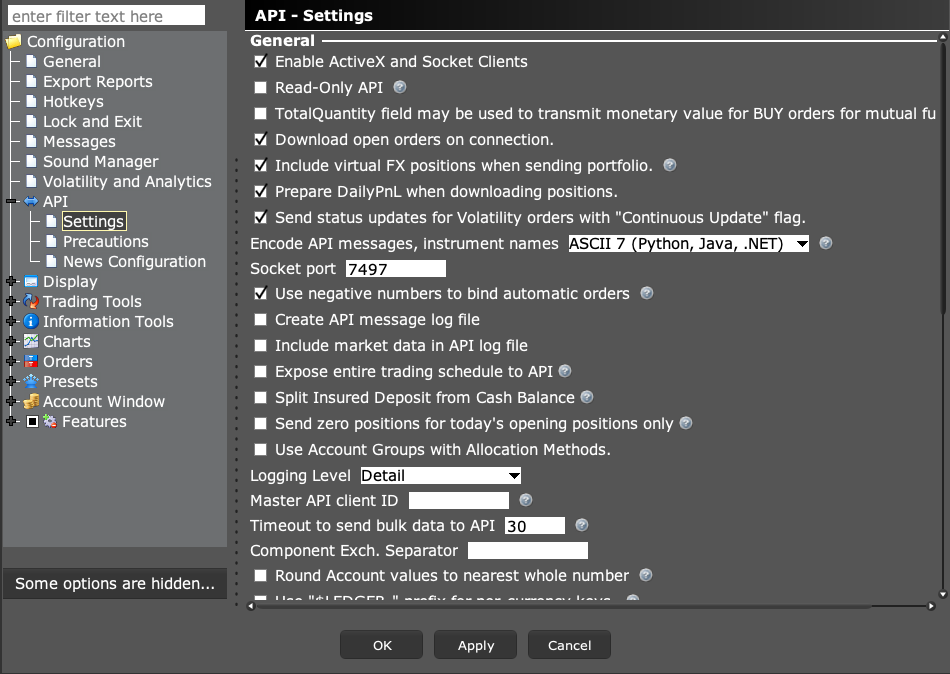
It has a separate role in receiving other clients’ updates. It is not a generic fix for duplicate connections.
Will reinstalling TWS help?
Start with the active connections. Reinstalling does not resolve two clients choosing the same ID.