
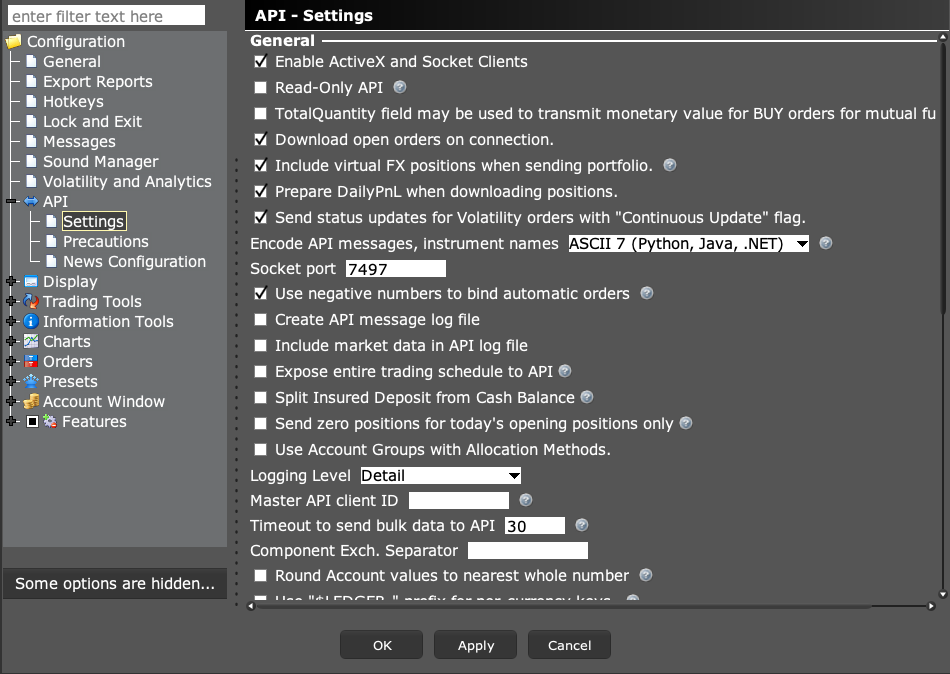
The usual ports are 7497 for TWS paper, 7496 for TWS live, 4002 for IB Gateway paper, and 4001 for IB Gateway live. These are defaults. Always read the actual port and account mode before connecting an app.
Educational software guidance. Trading involves risk. Read the financial and information disclaimers.
Step by step
- 1 Identify the program you opened: Trader Workstation or IB Gateway. Their default ports differ.
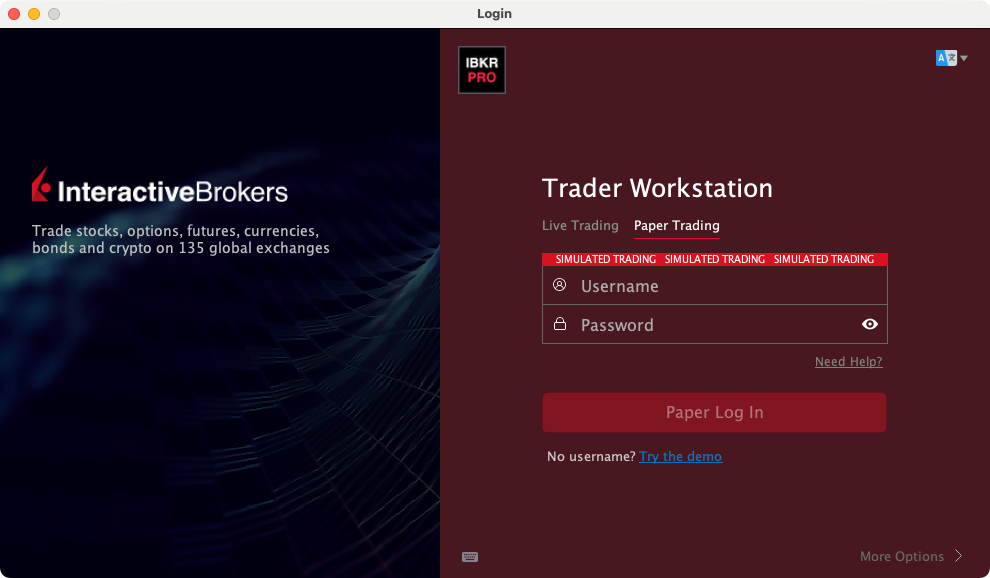
- 2 Check whether the session is paper or live. In paper TWS, the interface carries a simulated-trading banner.
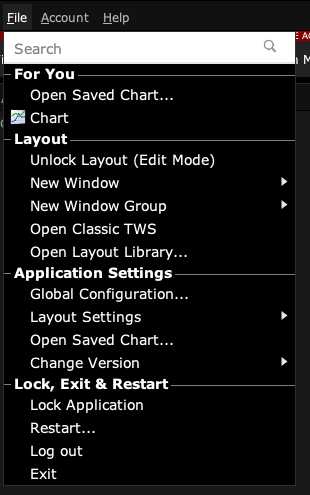
- 3 In TWS, open Global Configuration → API → Settings and read Socket port. In Gateway, use Configure → Settings → API → Settings.
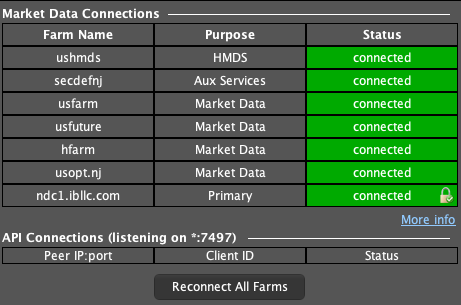
- 4 Set the same number in the connecting app. If two sessions run on one machine, each needs its own port.
- 5 Verify the returned account in the app. Do not infer paper mode from a port number alone.
A practical example
Suppose you have both a live TWS window and a paper TWS window. Write down which port belongs to each one. Next, connect the app and read which account it found. A port of 7497 is not proof of paper mode because a user can change it. The account and the paper banner are the checks that matter before a test trade.
Screen reference
Start in Mosaic with File → Global Configuration. Then choose the panel named in the steps.
Mistake to avoid
Common questions
Can I choose a custom port?
Yes, if the server and client agree and the port is available.
Is 4002 a TWS paper port?
It is the usual IB Gateway paper default. Read your actual setup.