
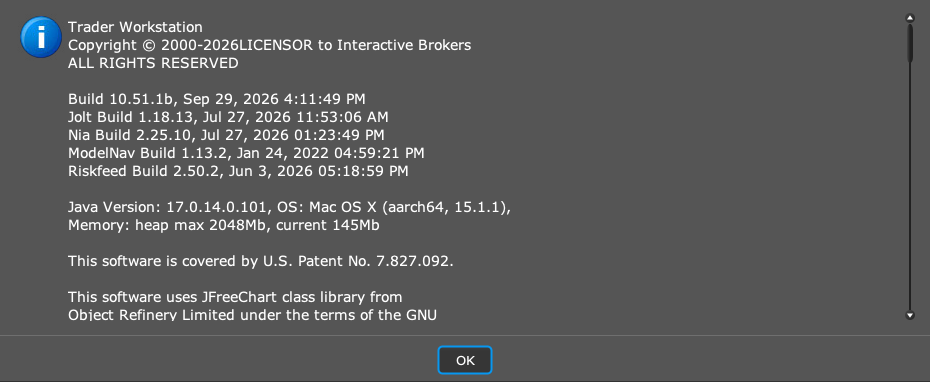
Follow the connection requirements for the PickMyTrade desktop app. A product named IBKR Desktop is not the same app as Trader Workstation. The socket API documentation describes TWS or IB Gateway as its connection host.
Educational software guidance. Trading involves risk. Read the financial and information disclaimers.
Step by step
- 1 Read the app name in the window you launched. Distinguish IBKR Desktop from Trader Workstation.
- 2 Open the PickMyTrade IB setup guide and check the supported desktop connection.
- 3 Install or open the documented TWS app if that workflow requires it.
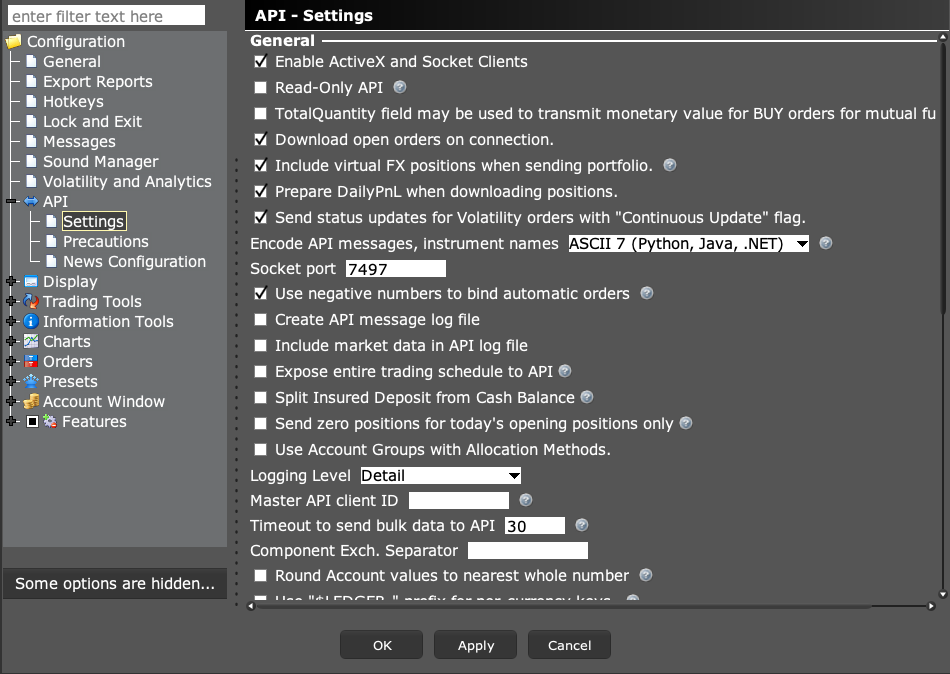
- 4 Configure API access and match the port in the local desktop app.
- 5 Check the account returned by the connection before sending any alert.
A practical example
A new user may see two IBKR apps and assume either one can host the same local link. The names are easy to mix up. Read the title of the app window. If the setup guide says Trader Workstation, follow the TWS steps in that program. Opening a different broker app does not by itself create the socket that the desktop client expects.
Screen reference
Mistake to avoid
Common questions
Are all IBKR apps interchangeable?
No. Their interfaces and app support differ.
Is the TradingView broker panel the same local socket?
No. Diagnose that login separately from the desktop API path.