
A TradingView webhook sends an HTTP message to a recipient. For that message to request a Rithmic order, the recipient needs a supported account connection and must interpret the message correctly. A chart or fired alert is not itself a broker order. This distinction concerns alert automation; do not use it to make a universal claim about every broker's manual TradingView connection.
Educational software guidance. Trading involves risk. Read the financial and information disclaimers.
Separate the stages
| Stage | Main task | Evidence to retain |
|---|---|---|
| Script/alert | Generates the intended event | Event type, saved context and timestamp |
| Webhook delivery | Sends the message to the chosen endpoint | Delivery status |
| Recipient | Validates and translates the message | Accepted/rejected request and resolved account/contract |
| Rithmic route | Processes the permitted trading request | Broker acknowledgement and order state |
| Execution | Records any actual fill | Filled quantity, price and time |
TradingView documents webhook delivery separately from any receiving application's behavior.
What a bridge needs
Verify its current Rithmic account compatibility, provider restrictions, connection details, generated message format and operational recovery process. A bridge is not the account provider and cannot be presumed to remove a funding firm's rules.
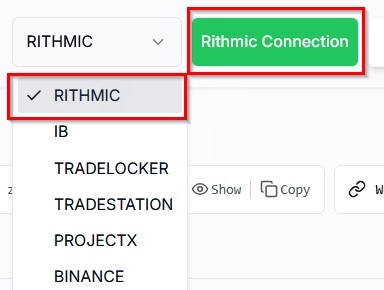
PickMyTrade's setup documentation describes its Rithmic connection and identifies account exclusions/requirements. The vendor screenshot shows the broker selector and connection navigation, not a connection performed here:
What about a custom application?
Rithmic's API suite has its own kit, test and production-conformance requirements. The FAQ separately restricts Protocol access for live-data paper demos. A desktop login does not authorize an arbitrary production application. Do not invent a free API route or copy a guessed endpoint into a tutorial.
Questions before relying on the workflow
- Does the service support this provider/account type and intended application route?
- Does the provider permit the intended automation?
- What exact generated message and endpoint does the current service supply?
- How are position changes, partial exits and duplicate deliveries handled?
- What evidence confirms broker acceptance and actual results?
No bridge was connected, alert sent or order submitted for this conceptual guide.
Common questions
Is a webhook a Rithmic login?
No. It is a message delivered to a recipient; that recipient's account connection is separate.
Is TradingView's broker panel the same as an alert bridge?
No. Identify the actual manual or automated workflow and its supported integration rather than treating them as interchangeable.
Can cloud hosting bypass a Rithmic outage?
No such guarantee follows from hosting. Check the underlying account route and the service's documented unavailable-connection behavior.
Does connection support prove firm permission?
No. Compatibility, provider rules and execution outcomes are separate checks.