
Rithmic and CQG provide data and trading infrastructure through different products and account arrangements. Compare the exact broker connection, front end, data coverage and order-management dependencies. A CQG Desktop licence, CQG Integrated Client and a third-party CQG connection are not interchangeable packages.
Educational software guidance. Trading involves risk. Read the financial and information disclaimers.
Compare the relevant layer
| Layer | What to verify for either provider |
|---|---|
| Account | Broker/FCM permission, supported exchanges and assigned credentials |
| Front end | Platform edition, operating system and supported connector |
| Data | Top of book/depth/MBO, history, replay and exchange subscription |
| Orders | Types, bracket/OCO hosting, partial fills and recovery behavior |
| Development | Correct API product, permissions and onboarding |
| Total cost | Software, routing, data, commissions and add-ons |
CQG's product comparison separates its editions and trading packages. Rithmic's platform directory and API directory identify different front ends and development routes. Obtain the current quote for the actual package rather than treating either infrastructure name as one retail price.
A concrete order-management difference
NinjaTrader's connection-specific order-location guide says its Rithmic OCO management is local, whereas most OCO functionality for its Continuum/CQG route is server supported, subject to the cited limitations. This is a NinjaTrader connector comparison, not a statement that all Rithmic OCO is local or every CQG feature is server managed.
Match your analysis and execution needs
Check historical coverage independently of live depth. Confirm whether your chosen platform supports the particular CQG service—Bookmap, for example, documents CQG Continuum rather than every CQG product. A chart receiving data does not prove an eligible order account.
If your intended workflow is TradingView automation, verify the exact broker integration or receiving-service route. Do not assume a CQG account appears in every TradingView broker connector, or that a Rithmic display symbol is valid CQG syntax. No latency or fill-quality winner was measured here.
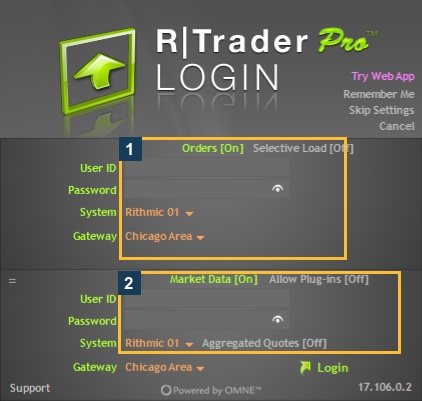
Screenshot references
Common questions
Is CQG a single platform package?
No. It has distinct products, interfaces and trading packages.
Can I reuse identical symbols and credentials?
No. Use the selected service’s issued credentials and symbol rules.
Does CQG support every third-party feature?
Check the exact platform/service combination.
Does this compare current live fills?
No. It compares documented capabilities and dependencies, not an execution benchmark.