
Compare the analysis you need—price-level depth, individual displayed orders, executed volume or historical replay—before choosing an order-flow platform. These require different data and licences. A platform supporting Rithmic does not prove your subscription includes every order-flow feature.
Educational software guidance. Trading involves risk. Read the financial and information disclaimers.
Compare useful capabilities and constraints
| Platform | What to investigate | Current connection reference |
|---|---|---|
| Bookmap | Heatmap/MBO workflow, depth entitlement, analysis versus chart-trading package | Bookmap connectivity |
| Jigsaw daytradr | Depth & Sales, connection route and account-specific licence terms | Jigsaw connection manager |
| ATAS | Volume-analysis workflow, aggregation and local OCO dependence | ATAS Rithmic connection |
| Quantower | DOM Trader MBO setting, licence and subscription requirements | Quantower Rithmic |
| Sierra Chart | Separate data/feed choice, history needs and restrictive Rithmic support policy | Sierra Rithmic service |
Separate the data types
Market-by-price aggregates displayed size at a price. Market-by-order provides individual displayed-order information where supported. Time and sales records executions; a footprint summarizes executed volume using the platform's rules. Historical bars are not the same as historical depth or MBO replay.
Evaluate with the intended workload
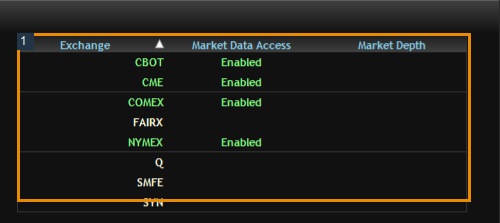
Use a permitted trial/account and the exact exchange subscription. Check current quotes, depth completeness, historical/replay availability, CPU/memory use and whether aggregation removes needed detail. Keep account order entry separate from data-only evaluation. Use the same contracts and observation period for comparisons.
There is no measured best-platform or fastest-routing ranking in this library. Screenshots and vendor feature lists cannot establish trading results. Price comparisons should include software, data, add-ons and any hosting cost, with billing period and tax treatment recorded.
Screenshot references
Common questions
Does MBO expose every hidden order?
No. It describes available displayed-order data, not complete hidden intentions.
Do live depth subscriptions include depth history?
Not necessarily. Check historical/replay coverage separately.
Does aggregation always improve the workflow?
It can reduce load while removing detail needed by some analysis.
Is the same platform best for everyone?
Choose against the required data, workflow, supported account and total cost rather than an unsupported ranking.