
Use the exact contract’s exchange schedule, the date-specific holiday notice and the account provider’s cutoff. Rithmic connection availability is a separate schedule. Do not apply a single Sunday-to-Friday timetable to all futures, especially after CME’s 2026 move to 24/7 cryptocurrency trading.
Educational software guidance. Trading involves risk. Read the financial and information disclaimers.
Regular-session references
| Product / category | Published reference | What to check separately |
|---|---|---|
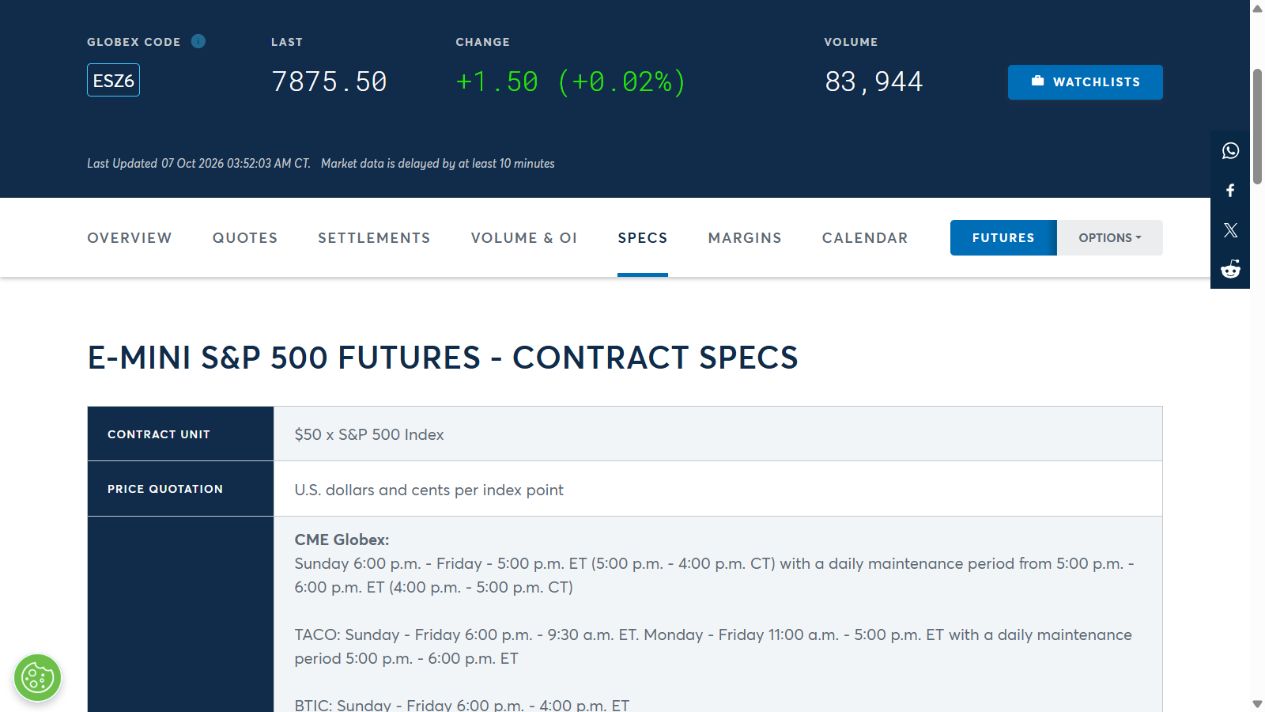
| ES | Sunday–Friday, 6 p.m.–5 p.m. ET, with a daily 5–6 p.m. ET break | Product halts, holidays and provider cutoff |
| CBOT corn | Overnight 7 p.m.–7:45 a.m. CT and daytime 8:30 a.m.–1:20 p.m. CT | Trade date, holiday and last-trading-day changes |
| CME 24/7 cryptocurrency category | Sunday–Saturday, with Saturday 2–4 a.m. CT maintenance | Exact listed product and provider access |
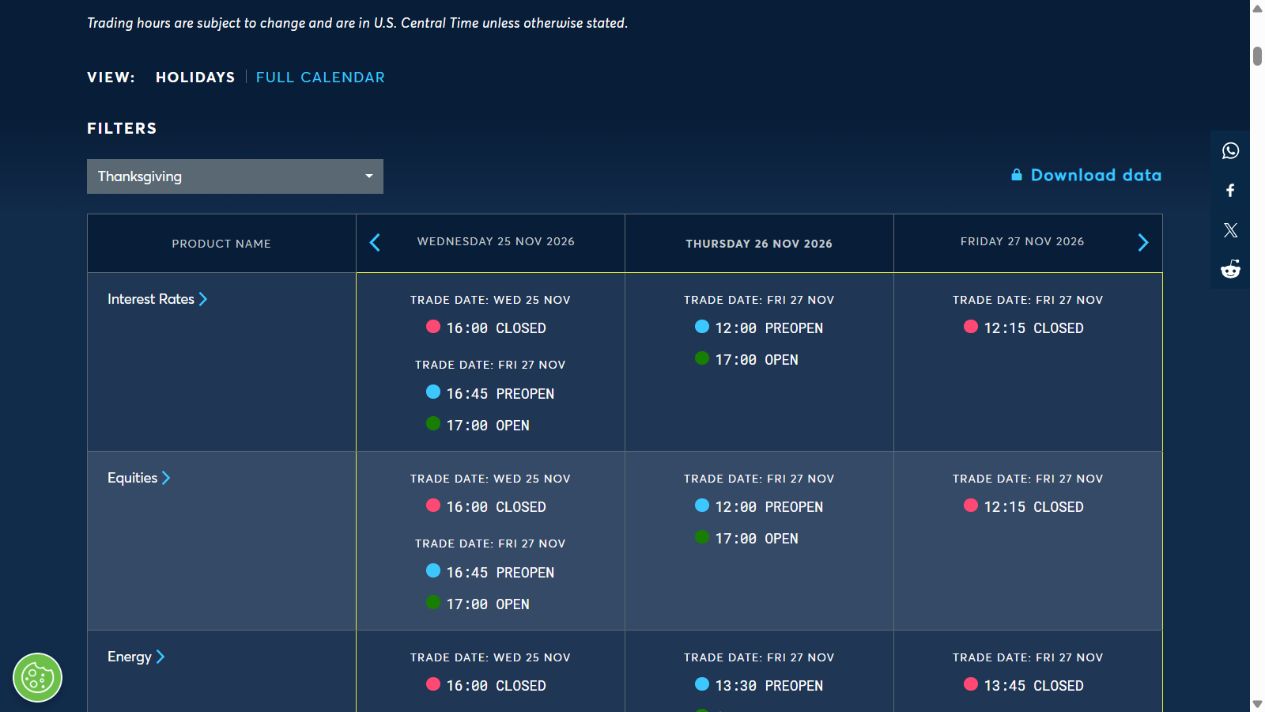
Sources: ES specifications, corn specifications and CME's current trading-hours page, checked 7 October 2026. The corn times are Central; the ES row is Eastern. These rows are reference categories, not a universal timetable for every related instrument.
Check a particular trading date
- Identify the exact futures product and expiry, not a similarly named option or spread.
- Read its regular hours and the timezone printed beside them.
- Open the CME holiday schedule for the intended date and product group.
- Check any instrument-specific halt, price-limit state or final trading time.
- Compare your provider's earlier close/holding restrictions.
- Check Rithmic's maintenance/advisory notices independently.
A market can be in pre-open while accepting certain instructions without matching trades. An active connection therefore does not prove immediate execution is available.
Platform chart sessions are another setting
RTH/ETH templates determine which bars or statistics a chart displays. They do not change exchange hours or grant overnight permission. A chart can appear blank because of a template even when the instrument is open. U.S. Eastern and Central use daylight-saving rules; convert using the actual date rather than a fixed UTC offset.
Screenshot references
Common questions
Does Rithmic maintenance equal CME closure?
No. They are different services and schedules.
Does an open market guarantee a webhook fill?
No. Delivery, account checks and actual order execution remain separate.
Can every Rithmic account trade crypto all weekend?
The exchange timetable does not establish account, platform or provider permission.
Does RTH mean the only tradable session?
No. It is a session definition; available trading depends on the exact contract and account rules.