
Check the exact instrument’s exchange session and current market state, then compare any earlier provider cutoff. Convert the times using the stated timezone and date. Rithmic login availability does not establish that an exchange is accepting or matching your order.
Educational software guidance. Trading involves risk. Read the financial and information disclaimers.
Check the session in this order
- Record the rejected order's exact contract, timestamp and timezone.
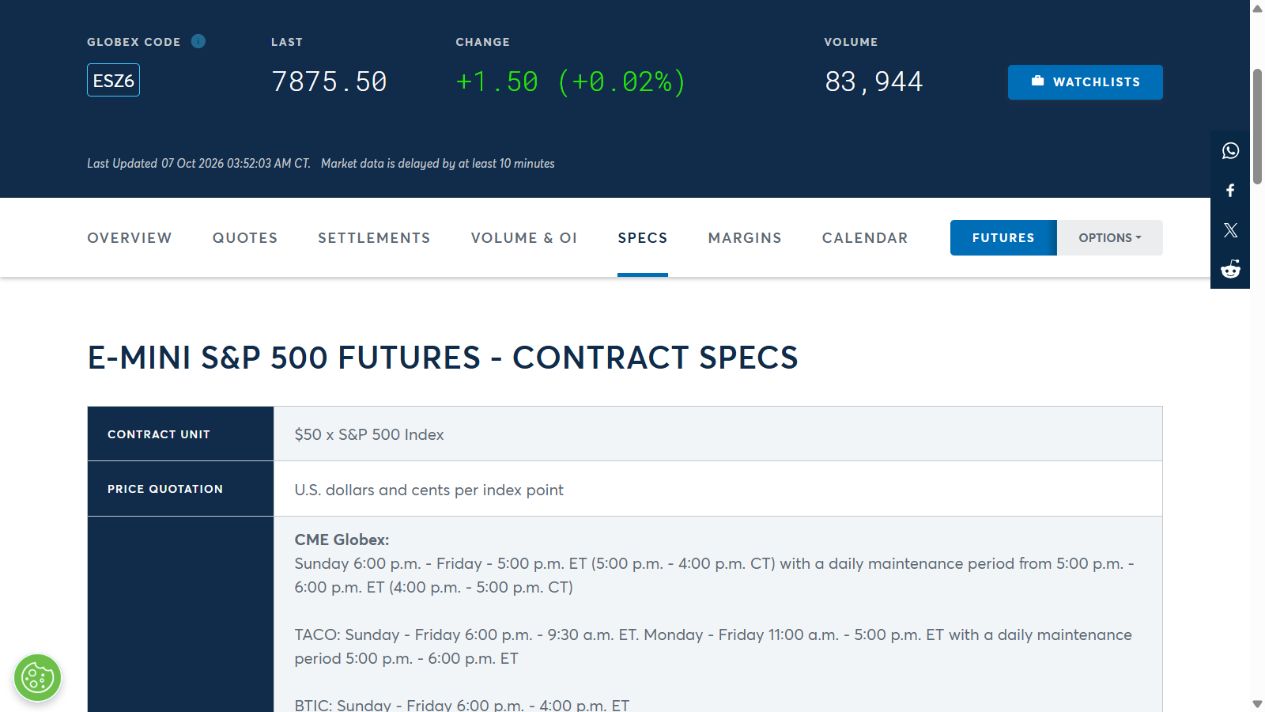
- Open the exchange's product specification and trading-hours calendar for that product.
- Check the trade date, weekend or holiday schedule, including early closes.
- Check the current market state: open, pre-open, pause or closed.
- Compare the broker or prop firm's permitted trading window.
- Reconcile existing orders before submitting a fresh request during an eligible period.
CME's trading-hours page is the reference for its exchange calendars. A chart session template can filter visible bars without changing the exchange's actual hours.
“Not trading” has several meanings
The CME market-state reference distinguishes matching from order entry and cancellation. A pre-open can accept some instructions without matching trades. A no-cancel phase imposes different restrictions. Do not infer permitted actions merely from an unmoving last price.
| Check | Common mismatch |
|---|---|
| Timezone | Local VPS clock compared with a schedule in Chicago or New York time |
| Date | Sunday evening belongs to the next trade date for many futures sessions |
| Product | Applying ES hours to an agricultural or other contract |
| Expiry | An expired instrument compared with the active product schedule |
| Provider policy | A required flat time earlier than the exchange close |
If the market should be open
Confirm that the symbol resolved to the intended product and expiry. Save the exact server response and the applicable dated schedule. Ask the provider whether it imposed an account/product restriction or received an exchange state change. Do not solve the discrepancy by changing the VPS clock.
Interface reference
Common questions
Do all Rithmic instruments trade 23 hours a day?
No. Trading hours are product and exchange specific, with holidays and other exceptions.
Does a green connection mean the market is open?
It confirms a service connection, not the instrument’s matching state or your account’s permission.
Can I leave a DAY order overnight?
DAY expiry follows the applicable session rules. Inspect time-in-force and final order state rather than assuming a calendar-midnight expiry.
Is a prop-firm cutoff the same as the exchange close?
No. Use both schedules and satisfy the provider’s applicable restriction.