
Use the current requirements for desktop RTrader Pro and every other application in the intended workflow. Rithmic's product page lists 64-bit Windows 10, Windows 11 and Windows Server 2016 or later. It directs macOS users to web/mobile rather than claiming native desktop support. OS compatibility alone does not establish performance for your charts or safe support status for the operating system.
Educational software guidance. Trading involves risk. Read the financial and information disclaimers.
Which product are you checking?
| Product or layer | Matching requirements |
|---|---|
| Desktop RTrader Pro | Current desktop product page and provider-supported installer |
| Web/mobile interface | Its browser/device requirements and available features |
| Another trading application | That vendor's current version and connector requirements |
| Custom Rithmic application | The selected API kit and its supported deployment environment |
| VPS | Suitable OS, provider terms, remote access and the complete application workload |
Rithmic's desktop product page is the reference for the OS list. Its API page describes different language/OS options; API support on an OS does not establish that desktop RTrader Pro runs natively there.
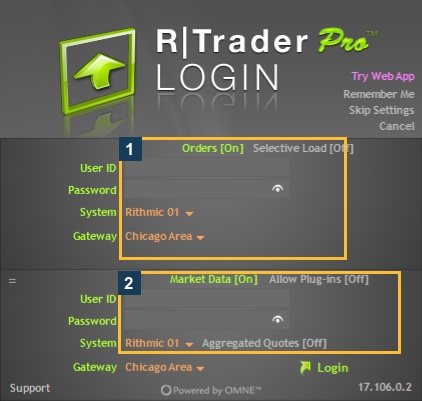
This observation establishes that the displayed build was present on this Windows VPS. It is not a certification of every Windows Server release or a stress/performance test.
Check the computer before installation
- Confirm the OS edition, version and system type using the supported system-information view.
- Check whether the OS remains supported by its vendor and receives required security updates. A trading vendor's compatibility list is a separate question.
- Obtain the current installer through the provider's supported official link. Follow prerequisites actually reported by that installer; do not install a guessed .NET version.
- Check each additional platform's requirements and its Rithmic connector support.
- Retain the current working configuration and records before a planned change.
No universal CPU, RAM, disk-space, bandwidth or maximum-symbol figure is established from the sources reviewed for this guide. A generic “recommended trading PC” number should not be labeled an official Rithmic minimum.
Assess the intended workload
Charts, market depth, historical downloads, indicators and multiple applications can place different demands on the system. Measure CPU, memory, disk and network use during a representative permitted workload. Record the number of active charts/symbols and the observed problem. A quiet login window is not a benchmark for that workload.
For a VPS, verify that its Windows environment and remote session can run the required applications and supported plugin arrangement. Geographic proximity does not establish better reliability or order latency. Use the VPS guide as a separate investigation, not a promise that renting a server solves account or connector issues.
Common questions
Is macOS API support the same as desktop support?
No. Check the actual product. API language/OS support and the desktop application's compatibility are separate.
What .NET version must I install?
Use the current installer and official provider prerequisites. This review did not establish a universal .NET version requirement.
How much RAM guarantees smooth trading?
No amount guarantees the complete workflow. Measure the actual workload and check each application's requirements.
Does a speed test verify Rithmic connectivity?
It tests the selected speed-test route. It does not confirm account permissions, plugin support or every endpoint the application uses.