
Identify a futures contract by its product, expiry and exchange. For example, ESZ6 on CME means December 2026 E-mini S&P 500 futures. RTrader Pro accepted ESZ6.CME in the inspected quote lookup, but each platform or automation service can require its own input format.
Educational software guidance. Trading involves risk. Read the financial and information disclaimers.
Common equity index contracts
| Product | Root | Exchange | Outright tick | Dollars / tick | Dollars / point |
|---|---|---|---|---|---|
| E-mini S&P 500 | ES | CME | 0.25 | 12.50 | 50 |
| Micro S&P 500 | MES | CME | 0.25 | 1.25 | 5 |
| E-mini Nasdaq-100 | NQ | CME | 0.25 | 5.00 | 20 |
| Micro Nasdaq-100 | MNQ | CME | 0.25 | 0.50 | 2 |
| E-mini Dow | YM | CBOT | 1.00 | 5.00 | 5 |
| Micro Dow | MYM | CBOT | 1.00 | 0.50 | 0.50 |
| E-mini Russell 2000 | RTY | CME | 0.10 | 5.00 | 50 |
| Micro Russell 2000 | M2K | CME | 0.10 | 0.50 | 5 |
Source: CME Micro E-mini specifications and size relationship. These are outright futures, not options, spreads or an exhaustive product catalogue.
Add the contract month and year
| Month | Code | Month | Code |
|---|---|---|---|
| January | F | July | N |
| February | G | August | Q |
| March | H | September | U |
| April | J | October | V |
| May | K | November | X |
| June | M | December | Z |
The CME month-code table defines these letters; it does not mean every product lists every month. The equity contracts above use the March/June/September/December cycle. ESH7 identifies a March expiry with the year suffix 7; confirm the full expiration date rather than inferring a decade from one digit.
Find contracts outside this table
Use the platform's instrument search and the exchange's current contract specifications for energy, metals, rates, currencies and crypto. Confirm product name, exchange, expiry, multiplier and outright tick increment. Similar roots can represent very different contract sizes. A root-only chart label is not an orderable dated contract.
In the inspected desktop session, Trade → Search Symbol opened fields for symbol, description, exchange, product and expiry. A later broad ES search did not complete during the inspection; the earlier exact ES quote lookup did resolve. Do not infer an empty results grid means an instrument does not exist.
Map an automation separately
A continuous chart such as ES1! requires the receiving service's contract-selection rule. PickMyTrade's rollover documentation distinguishes contract mapping from managing an existing position. Use the current generator's selected instrument; do not append .CME merely because it appears in this reference. Recheck both the chart and routed expiry at rollover.
Screenshot references

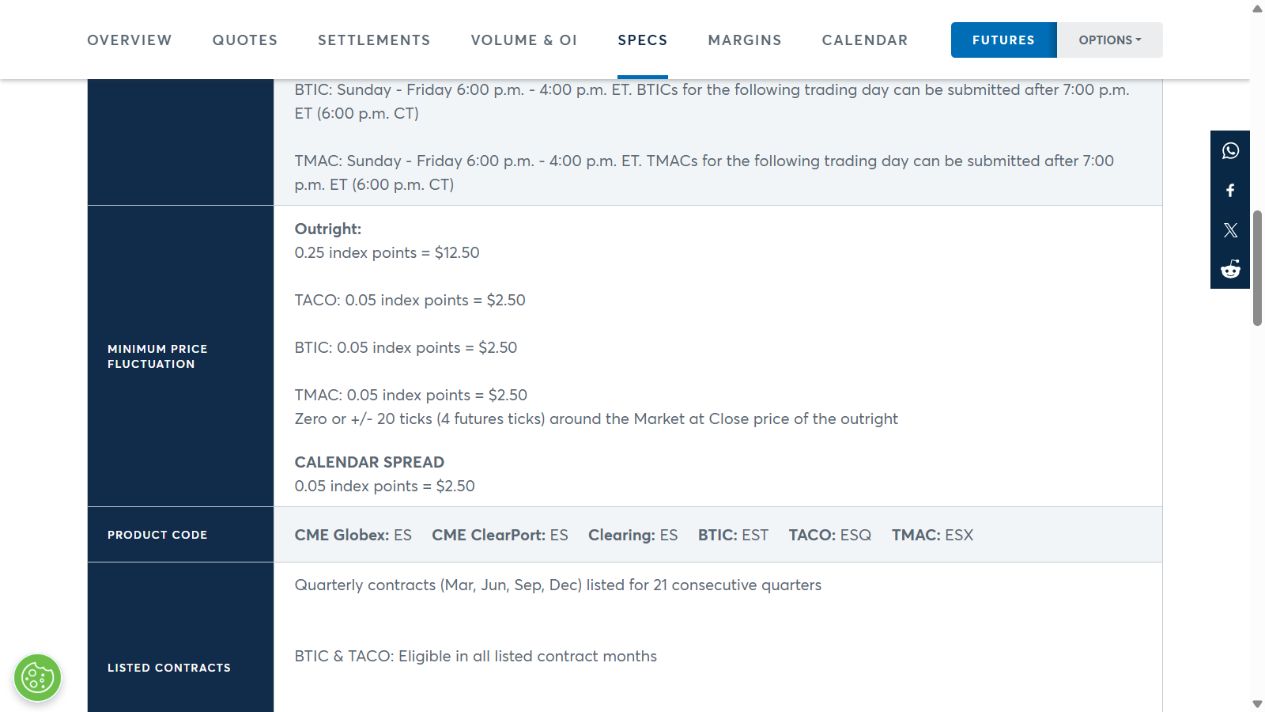
When choosing a contract to research, compare futures liquidity considerations; popularity does not establish suitability or a current volume ranking.
Common questions
Is this every Rithmic instrument?
No. It is a verified reference for common equity futures plus the lookup method for other products. Your provider controls instrument access.
Does ES1! mean ESZ6 forever?
No. A continuous chart changes its underlying contract according to its mapping rule.
Why is Dow listed under CBOT?
MYM and YM are CBOT contracts; the other index products in this table are CME contracts.
Does a symbol appearing prove permission to trade?
No. Data entitlement, account permission and order acceptance are separate checks.