
Use Rithmic for its platform/API references, the issuing broker or firm for account permission and risk configuration, and the front-end vendor for its connector behavior. Start from current official pages instead of an old download mirror or a public post containing credentials.
Educational software guidance. Trading involves risk. Read the financial and information disclaimers.
Rithmic entry points
| Resource | Purpose |
|---|---|
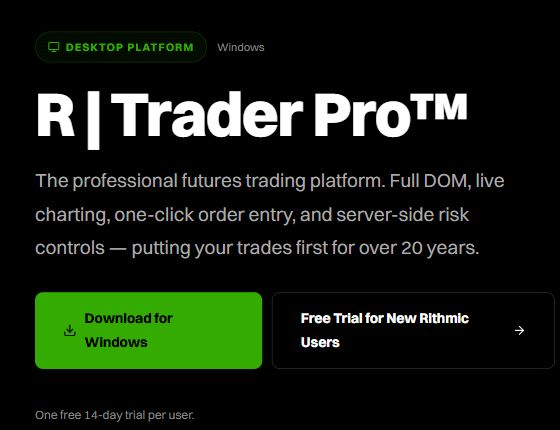
| RTrader Pro | Official Windows download and published requirements |
| Web & Mobile | Official web launch and iOS/Android store links |
| FAQ | Trial, maintenance, risk-mode and access distinctions |
| System advisories | Dated operational notices; not a blanket uptime guarantee |
| Platform guides | Supported front-end connection references |
| APIs | Product and onboarding distinctions |
| Contact | Official contact categories |
Exchange and account references
Use CME contract month codes, trading/holiday hours, equity roll dates and the exact product specification. Exchange schedules do not replace a firm's earlier holding cutoff or its account limits.
For provider-specific credentials and rules, use the dated firm references. A public setup article can establish control names without revealing a private account dashboard. Never put passwords, tokens or full private account identifiers in a public screenshot.
Third-party platforms and automation
The platform comparison links current Quantower, ATAS, Sierra, MotiveWave, Bookmap, Jigsaw and conditional NinjaTrader setup guides. For a receiving service, start with PickMyTrade Rithmic setup and TradingView webhook documentation.
Preserve context when requesting help
Keep the full error, timestamp/timezone, application version, account stage, issued System and connection route. Supply private identifiers only through the provider's secure support channel. A Reddit or Discord discussion can identify a common question; it is not proof of current entitlement, firm permission or a platform guarantee.
Screenshot references
Common questions
Is a third-party download mirror necessary?
Use the official or provider-linked supported download route.
Who can clear an account risk restriction?
The authorized account/provider process, not a generic platform reinstall.
Do advisory pages prove all services are operational?
No. They publish notices with their own scope and timing.
Can community posts establish product capability?
Use them as question evidence, then verify claims with current primary sources.