
An insufficient-margin response requires checking the provider’s current margin requirement against the account’s usable funds and existing exposure. Use the exact contract, quantity and time of rejection. A displayed account balance or advertised intraday margin alone is not enough.
Educational software guidance. Trading involves risk. Read the financial and information disclaimers.
Distinguish the three amounts
Initial margin is required to establish a futures position. Maintenance margin is the continuing minimum. A broker may also publish a different intraday trading requirement, subject to its own hours and conditions. CME explains the initial and maintenance distinction; your broker supplies the applicable account requirement.
Check the rejected request
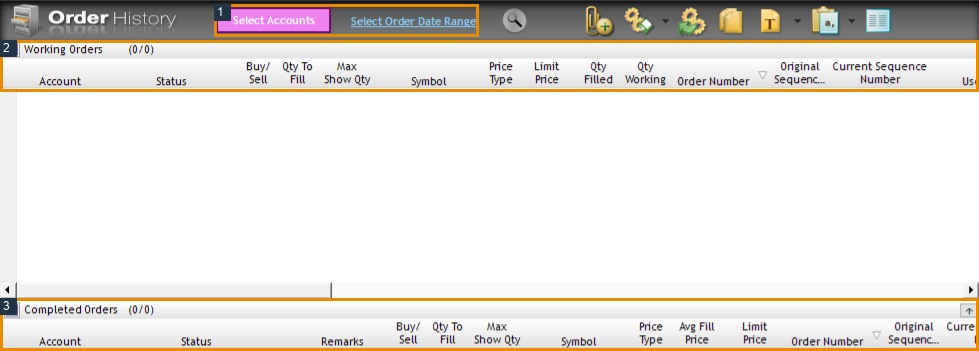
- Save the response, timestamp and timezone from the order log.
- Confirm the contract root and expiry. ES and MES are different products.
- Confirm the submitted quantity, including any reversal or copier multiplier.
- Compare usable funds with the provider's current requirement. Include the effect of other positions, working orders and fees according to its calculation.
- Check whether a session cutoff, scheduled event or temporary margin increase applied.
- Ask the provider for the exact shortfall and the rule used if the calculation still differs.
A calculation example, not a margin quote
If a provider confirms that an order needs $1,500 and the account has $1,200 available for that request, the arithmetic shortfall is $300. Those numbers are illustrative. They are not the current ES/MES margin, a deposit recommendation or a guarantee that adding $300 would make an order acceptable. Another check can still reject it.
Prop-firm balances need a separate interpretation
A simulated evaluation's advertised balance is not a cash deposit available to satisfy retail futures margin. The firm may enforce contract limits, drawdown or other rules. Ask whether the rejection arose from its exposure rule or an actual margin calculation. Do not apply a retail broker's margin table to an evaluation by account-size label alone.
Interface reference
Common questions
Does Rithmic set one margin for every broker?
No universal retail margin is established here. Use your provider’s current account and product schedule.
Will a micro contract always solve it?
A micro has different contract economics, but its order must still pass the account’s rules. Verify the exact product and quantity.
Why did the same size work earlier?
Available funds, positions, time-of-day requirements or provider settings may have changed. Compare the two dated records.
Should I deposit funds because of the message?
First obtain the provider’s calculation and account status. The message alone does not establish an appropriate funding or trading decision.