
Choose whether the automation runs in a desktop platform, a cloud alert receiver or a direct Rithmic API application. Each route has different account permissions, hosting dependencies and validation requirements. A working manual RTrader login does not establish every automated route.
Educational software guidance. Trading involves risk. Read the financial and information disclaimers.
Compare the architectures
| Route | Required configuration | Main operational dependency |
|---|---|---|
| Desktop strategy | Supported platform/edition, connection, account and strategy settings | Host application and its order-management logic |
| TradingView receiver | Correct alert event, generated message, endpoint and eligible account | Alert service, receiver and broker response chain |
| Direct API | Appropriate API access, developer setup and required conformance/production process | Your application, credentials, session and recovery implementation |
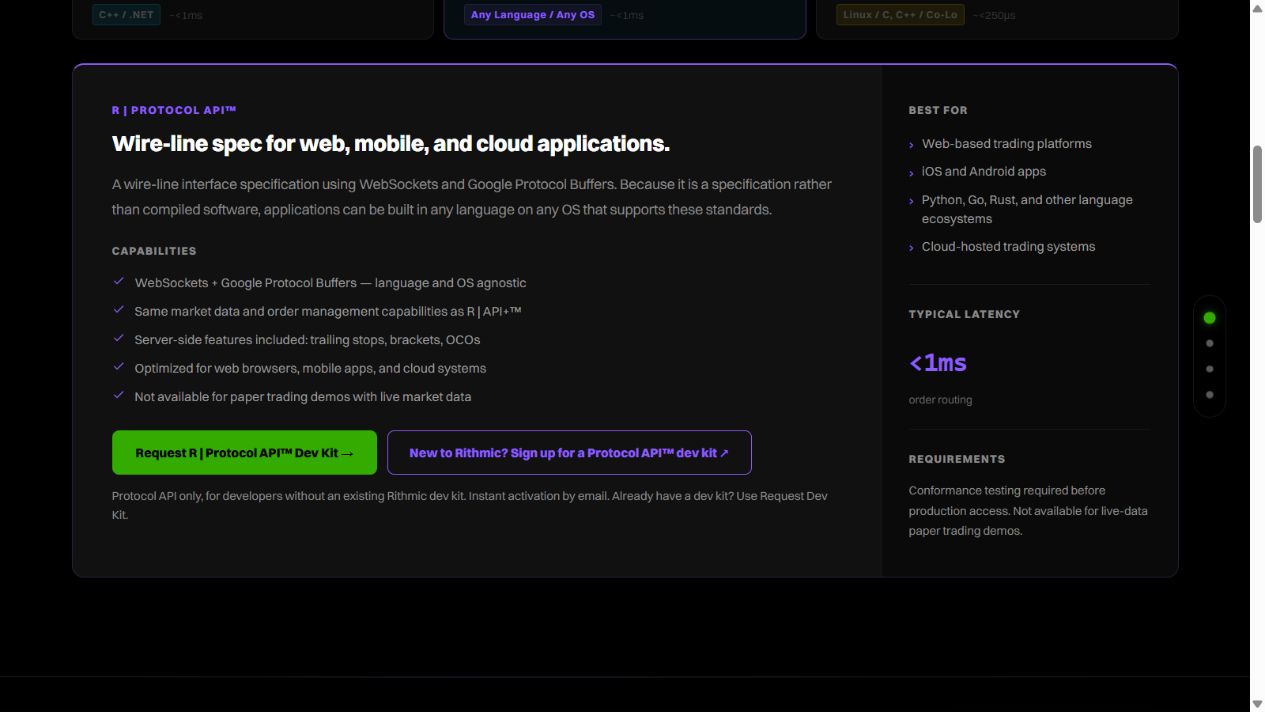
Rithmic's API directory distinguishes API+, Protocol and other products. Do not choose a protocol or fee from an old blog without current onboarding terms. The public 14-day demo's Protocol restriction matters when evaluating a cloud receiver.
Configure before enabling
Map account IDs, contracts, quantity units, exit handling and the expected source of each event. Document which component creates or trails protective orders, which cancels companions and what survives a lost client session. Native server-held orders and local strategy logic are not the same thing.
For PickMyTrade's Rithmic route, use the supported connection and generator; Bulenox is excluded. Do not substitute generic JSON or infer firm permission from technical compatibility.
Establish a recovery record
Use an eligible provider-permitted simulation or suitable existing records to match signal, request, acceptance, fills and final position. Cover duplicate delivery, partial/rejected orders and restart behavior for the intended architecture. Do not reconnect by blindly replaying the last signal.
Keep current account rules, software/data fees and hosting requirements with the configuration. A cloud receiver may remove the need to host that component yourself, but it does not remove every dependency or prove continuous availability.
Screenshot references
Common questions
Does any Rithmic demo support Protocol?
The current public temporary trial does not; verify the eligible account category.
Does automation guarantee protective exits?
No. Confirm each resulting order and the component managing it.
Is a VPS always required?
Only for components you choose to host there; architecture determines the requirement.
Does API access establish firm permission?
No. Read the applicable account agreement separately.