
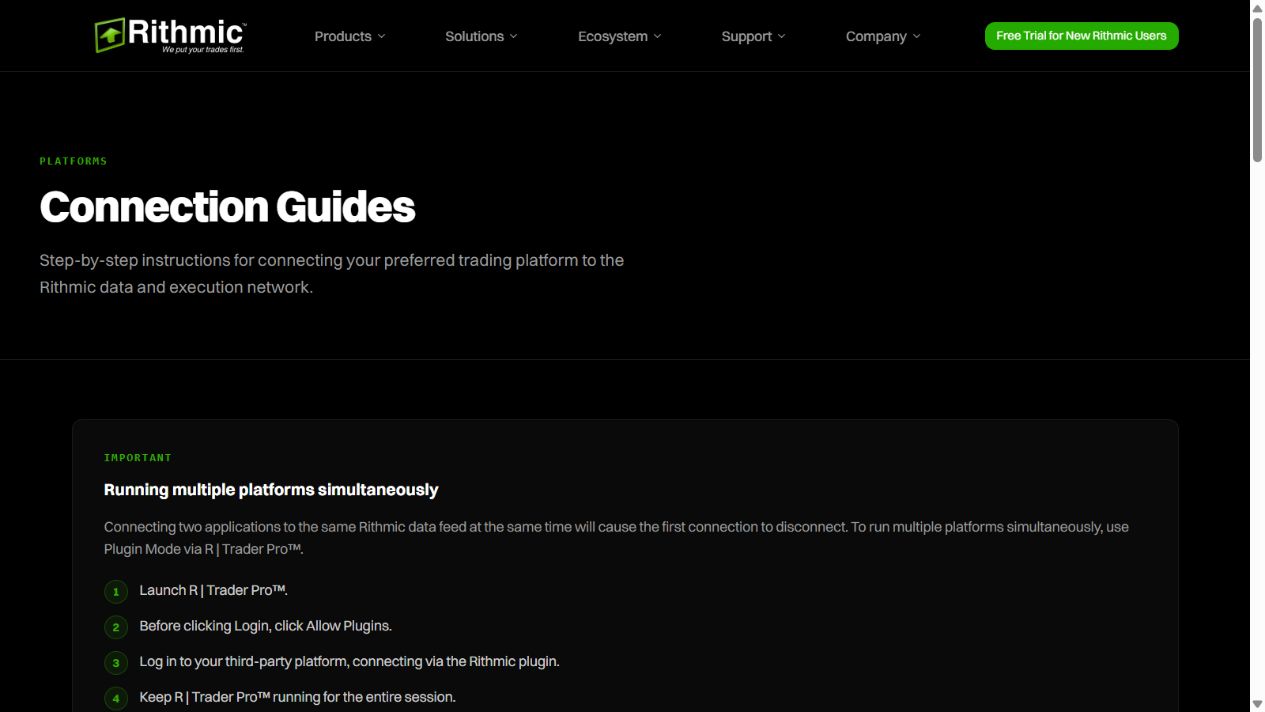
Bookmap’s Rithmic connection requires the appropriate depth entitlement. To share a supported RTrader Pro session, enable Allow Plugins in the host and Plugin mode in Bookmap’s Rithmic connection. Keep the credentials consistent and the host open.
Educational software guidance. Trading involves risk. Read the financial and information disclaimers.
Establish the licence and data requirements
Bookmap's connectivity guide distinguishes a software package, market-data subscription and trading access. It states that trading a funded account from the chart requires Global+. A charting licence or a data-only subscription does not itself provide an order-routing account.
Configure plugin mode
- Start a supported RTrader Pro build with Allow Plugins enabled and authenticate using the issued service details.
- In Bookmap, open Connection → Configure.
- Choose ADD CONNECTION → Rithmic.
- Enable Plugin mode and enter the matching RTrader Pro credentials. Check the System/Gateway combination.
- Save with OK, select that connection from the Connection menu and use + to subscribe to the intended instrument.
- Keep RTrader Pro running and verify the actual account before any order-entry action.
Resolve permission and data warnings
If Bookmap reports permission denied, its documentation directs broker-provided users to have the provider check Level 2/MBO access. A different platform working on top-of-book data does not disprove a missing depth entitlement.
Bookmap's latency warning concerns delayed market-data timestamps, not a measured order round trip. Its aggregation option reduces data volume but can affect MBO-dependent functionality. Treat aggregation as a considered diagnostic tradeoff, not a routine fix for every warning. Do not ignore inconsistent MBO warnings when analysis depends on that data.
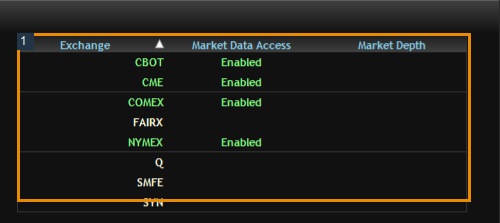
The native entitlement capture below demonstrates why generic data access and market depth must be checked separately. Bookmap was not installed or authenticated on this VPS for the capture.
Screenshot references
Common questions
Does Bookmap need depth when another chart works?
Its Rithmic order-book workflow requires the relevant depth access; top-of-book success is insufficient.
Can I close RTrader Pro in plugin mode?
Keep it open for the shared connection.
Does aggregation preserve every MBO feature?
Bookmap warns it can hinder functionality that depends on detailed data.
Does subscribing to data create a broker account?
No. Data access and trading access are separate.