
A socket connection is only the first part of API startup. The app also needs the TWS handshake and account details. Check for an approval dialog, a partly loaded session, or a client error before treating the connection as ready.
Educational software guidance. Trading involves risk. Read the financial and information disclaimers.
Step by step
- 1 Wait for the TWS workspace to finish loading after login.
- 2 Check for a connection approval dialog behind the main window. Confirm only the expected client.
- 3 Review the app log for account discovery or connection-complete messages, not just a TCP success message.
- 4 If using custom software, have its developer check startup sequencing and the next-valid-ID callback.
- 5 Reconnect during a controlled pause and compare the result with a single client running.
A practical example
Think of startup as two checks. First, the app reaches the open port. Next, TWS and the app finish their greeting and exchange account details. The first check can pass while the second fails. That is why support needs the startup log, not just a report that the port is open. Wait for the expected account before trying a trade.
Screen reference
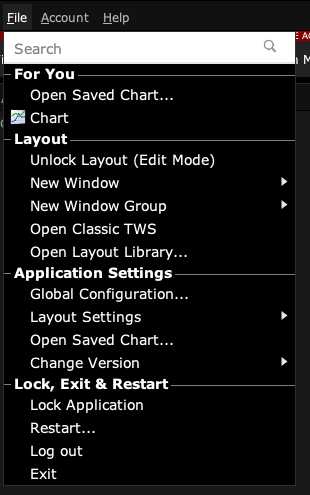
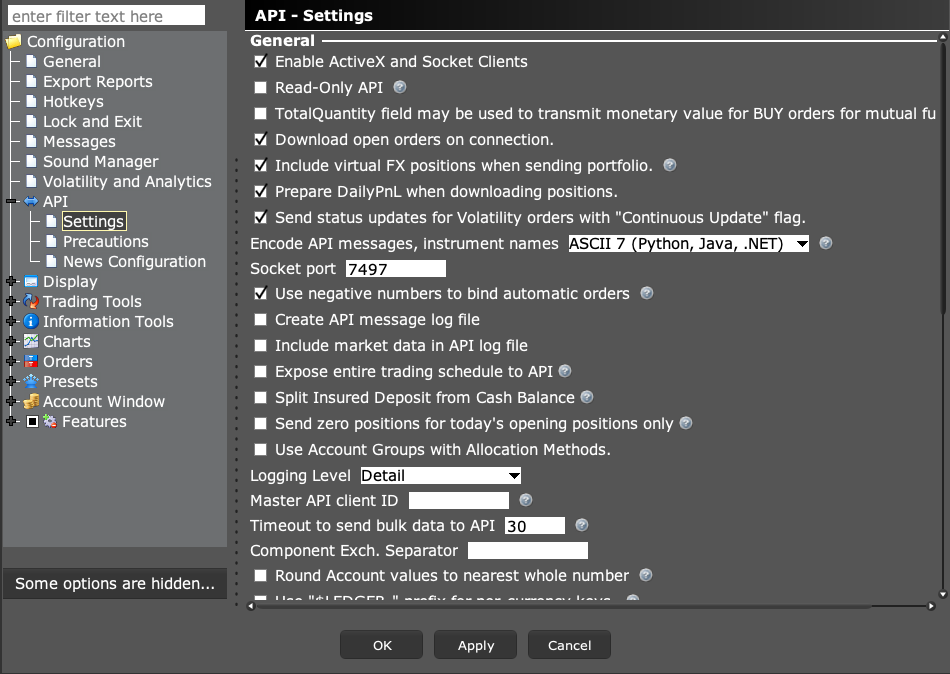
Start in Mosaic with File → Global Configuration. Then choose the panel named in the steps.
Mistake to avoid
Common questions
Can this be fixed with an order retry?
No. Resolve initialization before sending any order request.
Which log helps?
The client’s startup log and TWS API log, with matching timestamps.