
PickMyTrade documents multiple Rithmic connections, but connecting an account does not automatically make it a destination for every alert. Resolve the accounts and quantities in the current generator, then reconcile each destination’s response and broker records independently.
Educational software guidance. Trading involves risk. Read the financial and information disclaimers.
Add supported connections
The current Rithmic setup guide describes Broker Connections → Rithmic → Rithmic Connection → Add Connection, entering the Rithmic credentials and matching System Name, then Connect. The documented resolved status is Connected.
Use the Rithmic-specific registration route described by the guide; it says an existing Tradovate registration does not replace that step. Its stated additional-connection price is $50/month, but confirm the actual current billing unit and invoice before extrapolating a per-account total.
Generate the account-specific message
Choose the intended broker, indicator/strategy mode, symbol and supported destination configuration in Generate Alert Code. Compare the resulting account IDs and quantities with the intended account map. Do not use a generic action/qty template: the published reference uses different fields and route-specific semantics.
Bulenox is excluded from the cited route. The temporary public Rithmic trial also does not provide the required Protocol access. An eligible prop simulation is a different account category; verify it with the provider and service.
Reconcile every destination
For each alert, retain delivery status, recipient validation, destination order IDs, accepted quantity, fills and final positions. One account's success does not establish another's result. Before replaying a failed-looking alert, identify whether any destinations already acted.
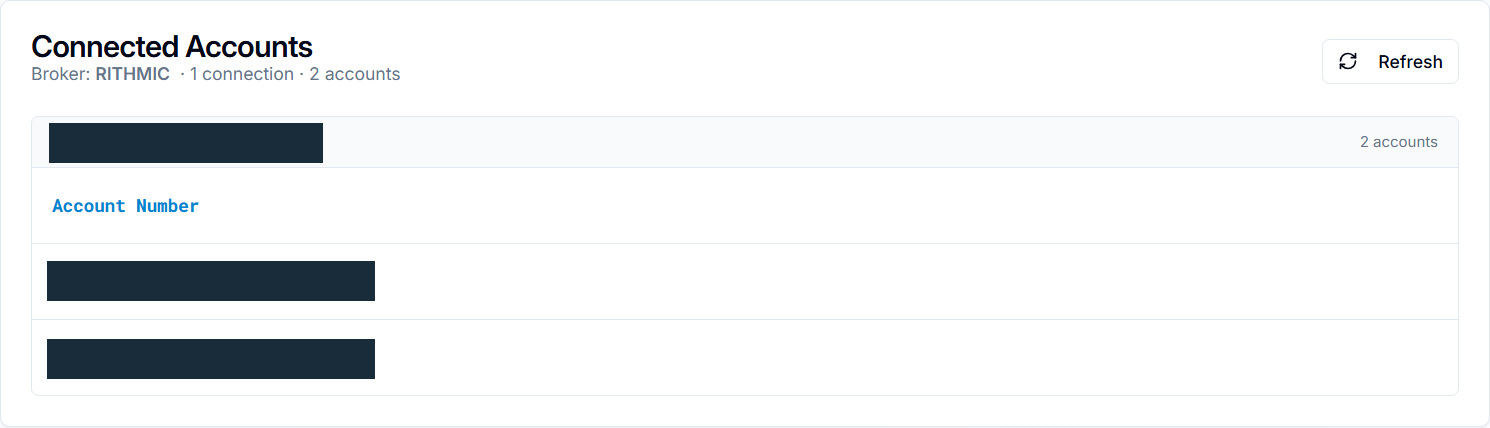
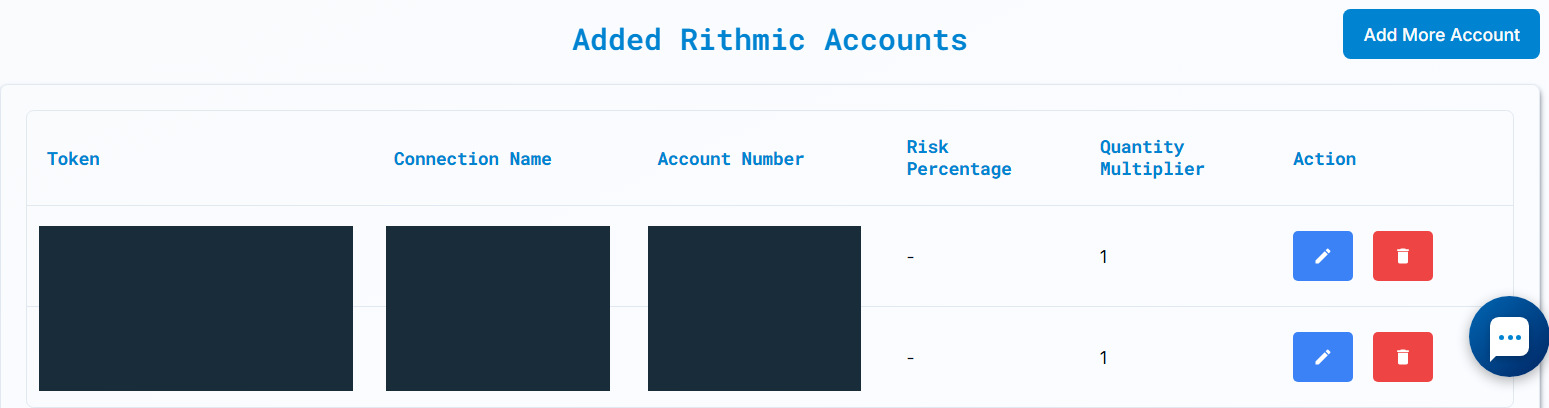
On 8 October 2026, the authenticated PickMyTrade session showed an existing Rithmic connection marked Connected and two available accounts. The current generator produced an unsaved documentation message for those two destinations. The displayed 8 September–9 October history range contained no alert logs or orders. The one existing saved configuration was for IB, not Rithmic. No message was sent, no TradingView alert was saved, and no order was submitted. The generated JSON contained two multiple_accounts entries, each with quantity_multiplier: 1 and risk_percentage: 0, against top-level quantity: 1. This establishes selected destinations in the generated configuration, not accepted quantities or fills.
Observed account selection
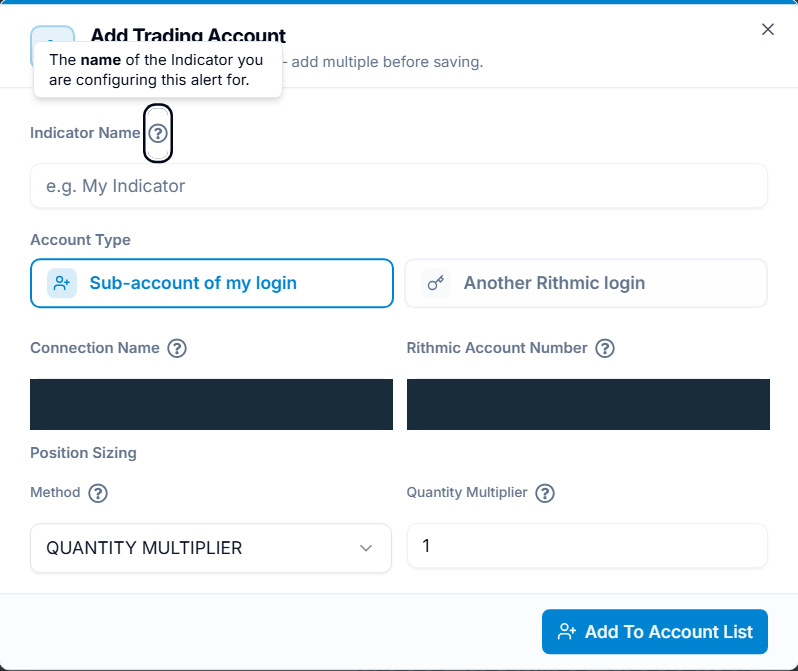
The authenticated Connected Accounts screen showed one connection and two sub-accounts. In Generate Alert Code, Add Account opened Add Trading Account, with Sub-account of my login and Another Rithmic login choices. The observed sub-account path exposed connection, account and position-sizing controls. Add To Account List, followed by Confirm & Generate Alert Code, generated the documentation message. Save Alert was a separate control and was not used. No new broker login was connected.
Find each destination result
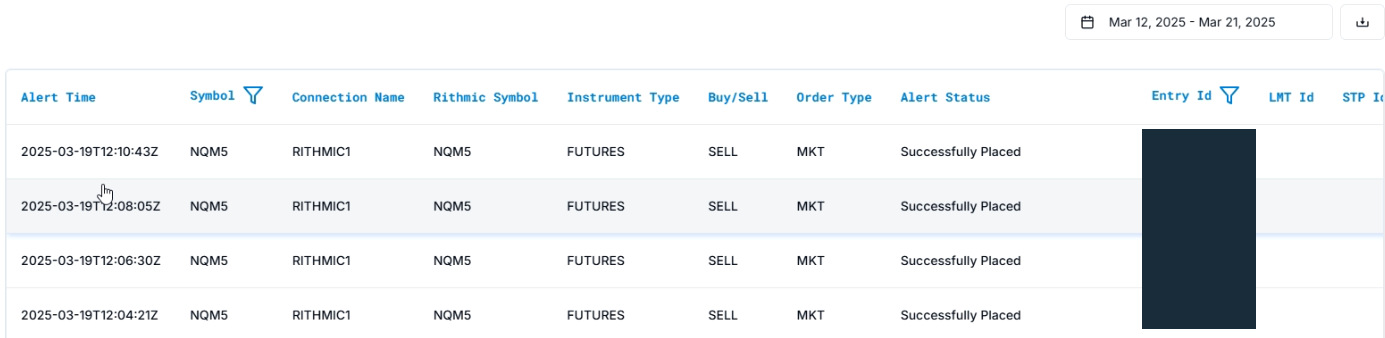
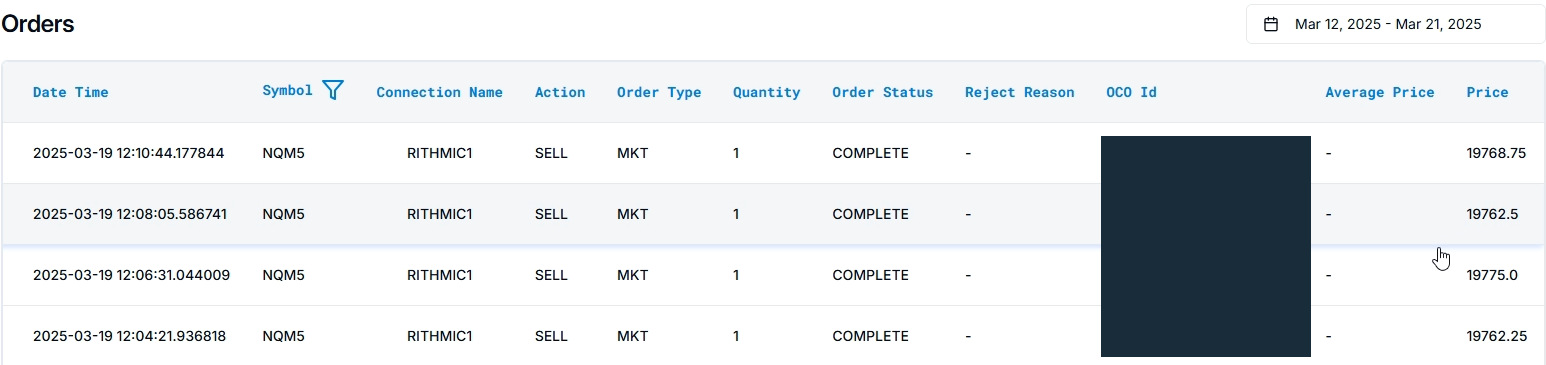
Sources: PickMyTrade Alerts guide and Orders guide, checked 8 October 2026. Compare time, connection, account, symbol and identifiers in your own records. An alert status and an order status describe different stages; reconcile the broker's own order/fill history before concluding that a trade filled. These vendor examples are separate illustrations, not a verified matched execution chain.
Common questions
Does one alert trade every connected account?
Only the destinations selected by the supported configuration; connection alone is insufficient.
Does one rejected account leave all others unaffected?
Inspect every result; do not infer a uniform outcome or safe replay.
Does each Rithmic account require a distinct username?
Not necessarily. Resolve connection and account mapping through the actual workflow.
Is the current multi-account setup tested here?
Generation and destination selection were observed. End-to-end delivery and each account's broker outcome remain untested.