
Sierra Chart documents Rithmic Direct - DTC [Trading] with Service Package 10 or higher. Use the broker-issued server and credentials. Read Sierra’s current Rithmic support policy before selecting market data; it recommends Denali for data issues and limits support for Rithmic functionality.
Educational software guidance. Trading involves risk. Read the financial and information disclaimers.
Follow the current service setup
- Update Sierra Chart using its supported update process and confirm Package 10 or higher.
- Open Global Settings → Data/Trade Service Settings.
- Select Rithmic Direct - DTC [Trading] under Current Selected Service.
- Press OK, wait 5–10 seconds and reopen the settings so the server list can load.
- Select the provider-assigned Server and enter Trading Username / Trading Password exactly.
- Supply Market Data and Historical Data credentials only if using Rithmic for those data services; follow the vendor's separate Denali instructions otherwise.
- Save and use File → Connect to Data Feed. Inspect Window → Message Log for errors.
- Use File → Find Symbol to select the intended instrument. Sierra documents
[symbol].[exchange]for this service.
These steps follow Sierra's current service guide. The guide also requires the account identifier, username and password to be no longer than 31 characters. Resolve an incompatible identifier with the provider rather than truncating it yourself.
Know what the service supports
The vendor lists server-managed OCO but not server-managed bracket orders as of its current writing. That distinction matters if local software disconnects before creating or updating children. It does not mean every Rithmic platform has the same dependencies.
If the account or data is unavailable
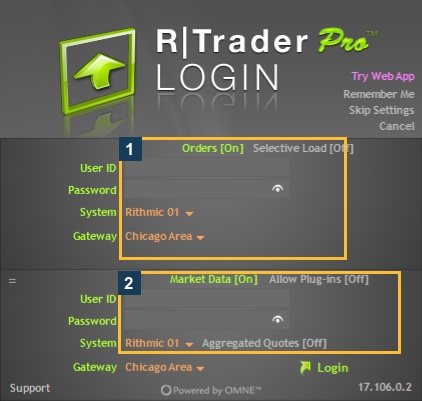
Use the Message Log's full error and the exact service/server. A simulation-mode selection and a provider-issued simulated account are different concepts; do not switch trading modes merely to force an account to appear. If an exchange denies access, ask the account provider to check entitlement. The RTrader reference below helps identify the original issued connection; it is not a screenshot of Sierra connected locally.
Screenshot references
Common questions
Which service should I select?
Rithmic Direct - DTC [Trading], as documented by Sierra.
Why must the settings window reopen?
The initial selection retrieves the current Rithmic server list.
Should I shorten a long account ID?
No. Ask the provider to resolve the compatibility issue.
Does server OCO imply server brackets?
No. Sierra lists those capabilities separately.