
A TradingView backtest simulates orders with its broker emulator. It does not execute those historical orders in Rithmic. Compare the emulator event, running alert, receiving-service request and actual broker result as separate records. Data, timing, sizing, costs and exit rules can differ; a profitable backtest does not establish later execution or returns.
Educational software guidance. Trading involves risk. Read the financial and information disclaimers.
What are you comparing?
| Record | What it establishes |
|---|---|
| Strategy Tester result | Simulated behavior under the configured data and assumptions |
| Running strategy alert | An event from the saved alert context |
| Webhook record | Delivery/recipient processing evidence |
| Rithmic acknowledgement | Recorded order-response stage |
| Broker fill | Actual executed quantity, price and time |
TradingView's broker-emulator explanation describes the simulation layer. Its Pine alert guide explains strategy order-fill events and saved alert context. Do not call an emulator fill a live broker fill.
Investigate a difference in stages
- Match the intended contract, expiry, exchange and timeframe. A continuous chart can differ from the execution contract.
- Record strategy inputs and the context saved when the running alert was created.
- Check when the live alert event fired rather than assuming the historical bar event occurred identically.
- Compare the generated message's intended side/quantity/exit meaning with the receiver's recorded request.
- Compare actual acknowledgements and fills, including partial execution or rejection.
- Reconcile commission, slippage assumptions, timestamps and position accounting without promising they will match the simulation.
This is a comparison procedure. No strategy was run or trade placed for the article.
Check sizing and exits separately
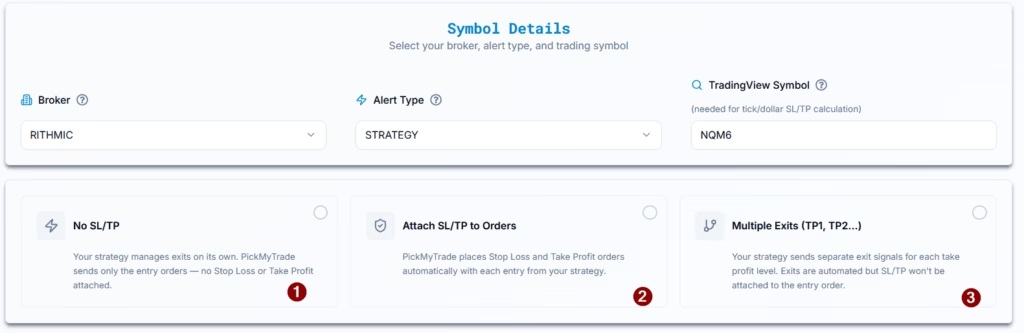
Strategy position size, order quantity, a receiving-service quantity multiplier and risk-based sizing are different inputs. Likewise, strategy-controlled exits and attached protective orders are different workflows. Use the exact integration instructions; do not impose one numeric slippage setting or exit template on every account.
A native quote view is only market-data evidence:

Common questions
Does an order-fill strategy alert prove a Rithmic fill?
No. It comes from the emulator's event; verify the actual broker record.
Does a successful webhook prove the backtest can be reproduced?
No. It is one transport/processing observation, not a performance comparison.
Should I use a fixed two-tick slippage assumption?
No universal setting is established. Use a justified assumption for the contract/workflow and compare it with actual recorded outcomes.
Can I backtest historical webhook delivery?
A historical strategy report is not a historical delivery log for your external integration. Those require separate evidence.